
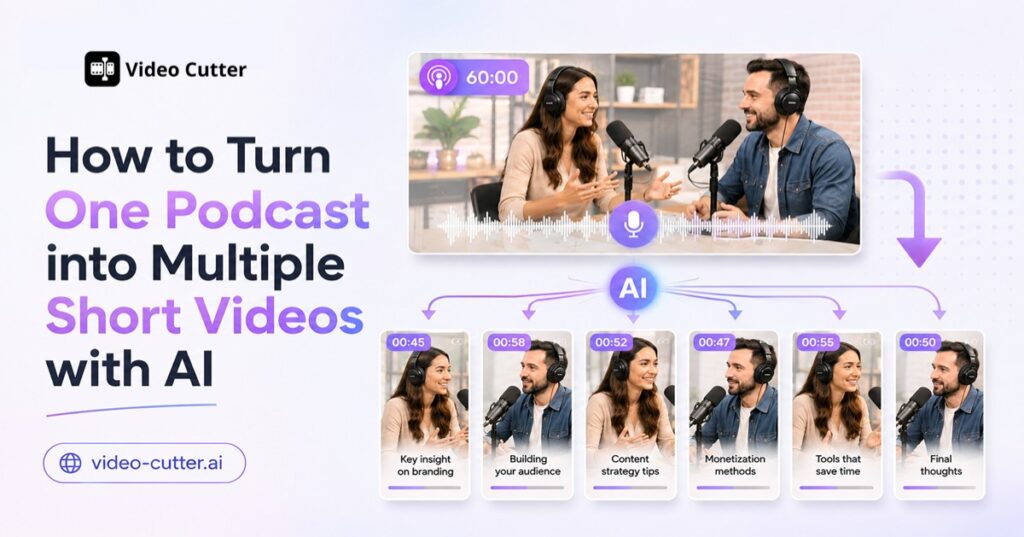
A single podcast episode can contain dozens of valuable insights, memorable stories, and shareable quotes. Yet much of that content often remains buried inside a long recording that audiences may not have time to watch from beginning to end.
Turning a podcast into short videos gives those moments a second life. Instead of creating new social content from scratch, you can repurpose podcast content into clips for TikTok, Instagram Reels, YouTube Shorts, and other platforms.
The challenge is finding the right moments. Manually reviewing an hour-long interview, recording timestamps, reframing footage, and adding captions can take hours. Video Cutter AI simplifies this process by analyzing long-form videos, identifying potential highlights, and converting them into short-form video candidates.
In this guide, you’ll learn how to turn one podcast into multiple short videos, what AI podcast clipping involves, and how an 84-minute YouTube interview produced 44 candidate clips in approximately 10 minutes.
Why Repurpose Podcast Content into Short Videos?
Long-form podcasts and short-form videos serve different viewing habits. A full episode gives listeners space to explore a topic in depth, while a short podcast clip delivers one compelling idea in a format that is easier to discover and share.
Repurposing a podcast into short-form content can help you:
- Reach audiences who prefer TikTok, Reels, and Shorts
- Publish consistently without recording more episodes
- Extend the useful life of existing podcast content
- Highlight your strongest guest insights and stories
- Promote the complete episode through shorter entry points
- Build a reusable library of podcast video clips
Short videos can also introduce your podcast to people who are not actively searching for long-form interviews. A viewer might discover a 45-second clip, relate to the topic, and then visit your channel to watch the complete conversation.
The key is to make every clip work as a standalone video. Viewers should understand its central idea without needing to see the full episode first.
Strong podcast clips often include:
- A surprising opinion or counterintuitive insight
- A practical tip that viewers can apply immediately
- A concise answer to a common question
- An emotional or relatable personal story
- A memorable guest quote
- A myth, mistake, or misconception
- A moment that encourages discussion
The more varied the original conversation is, the more opportunities you may have to turn the podcast into multiple short videos.

Manual Editing vs. AI Podcast Clipping
There are two primary ways to create podcast clips: editing them manually or using an AI podcast clipping tool.
With manual editing, an editor usually watches or listens to the full episode, records promising timestamps, cuts the selected segments, adjusts the framing, creates captions, and exports each video separately. This approach offers detailed control, but it can become repetitive when you need to repurpose podcasts regularly.
AI podcast clipping changes the starting point. Instead of beginning with an empty editing timeline, you begin with a collection of moments identified from the original video.
| Task | Manual podcast editing | AI podcast clipping |
| Finding highlights | Watch the episode and record timestamps | AI analyzes the video and suggests moments |
| Creating titles | Write each title manually | AI can generate titles for candidate clips |
| Understanding context | Review surrounding footage | Review summaries and timestamped transcripts |
| Reframing video | Resize clips individually | Select a target aspect ratio before generation |
| Adding captions | Transcribe and style captions | Apply a caption style during clip generation |
| Producing variations | Repeat the process for each clip | Generate multiple candidates from one source |
| Creative control | Full timeline-level control | Review suggestions and choose what to use |
Manual editing is still valuable when a clip requires detailed storytelling, advanced motion graphics, or precise brand treatment. AI is particularly useful for the time-consuming first stage: reviewing long-form content and finding possible highlights.
A hybrid workflow is often the most practical option. You can use Video Cutter AI to find and prepare podcast clip candidates, then review the results and choose the videos that best match your content strategy.
AI-generated scores and suggestions should be treated as decision-making aids rather than guarantees of performance. The creator still understands the audience, brand voice, and publishing goals better than an automated system.
How to Turn a Podcast into Short Videos with Video Cutter AI
You do not need to divide your podcast into separate files before getting started. Video Cutter AI can use long-form content as the source and identify multiple moments within it.
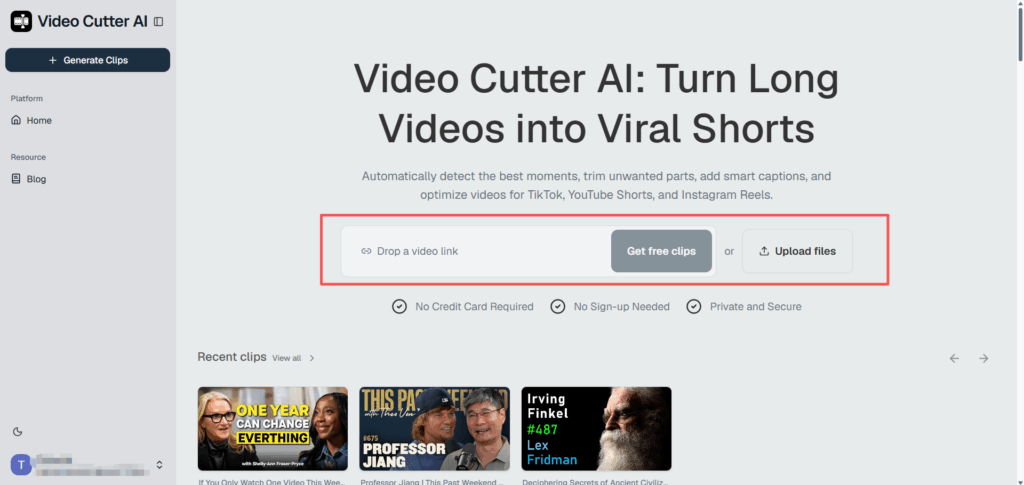
Step 1: Add Your Podcast or YouTube Link
Start by adding the podcast video you want to repurpose. If the episode is already published on YouTube, you can use its link to begin the clipping workflow.
Choose an episode with clear audio and meaningful standalone moments. Interviews, educational podcasts, video conversations, and expert discussions are particularly suitable because they usually contain multiple topics within a single recording.
Before continuing, consider your main objective:
- Do you want to promote the full episode?
- Are you looking for practical tips or educational clips?
- Do you want emotional stories or thought-provoking opinions?
- Are you building a regular short-form publishing schedule?
Knowing what you want from the episode makes it easier to evaluate the AI-generated podcast clips later.
Step 2: Choose Your Clip Settings
Next, configure the output based on where and how you plan to publish the videos.
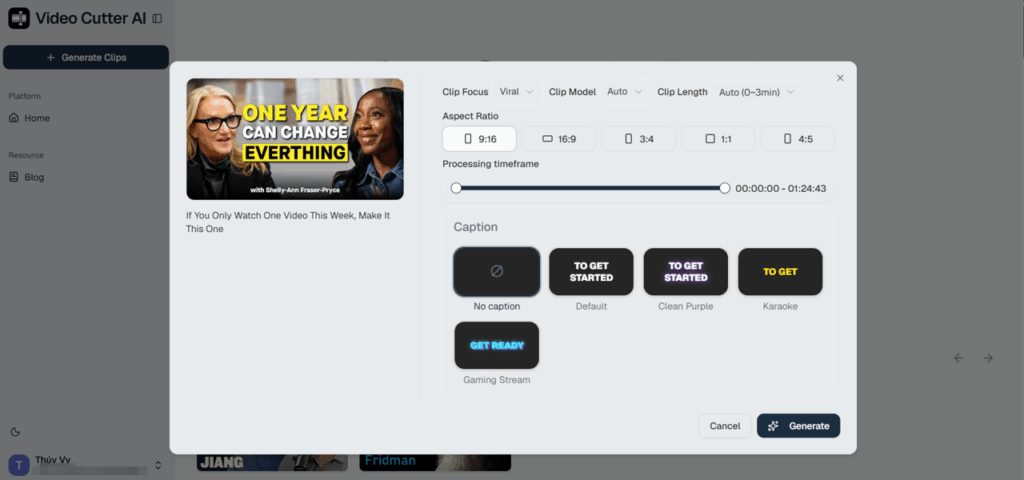
Video Cutter AI allows you to select settings such as:
- Clip focus: Choose the type of moments you want the tool to prioritize.
- Clip length: Set a preferred duration or use the automatic option.
- Processing timeframe: Analyze the complete episode or a selected section.
- Aspect ratio: Choose from formats including 9:16, 16:9, 3:4, 1:1, and 4:5.
- Caption style: Select from available subtitle designs or generate clips without captions.
For TikTok, Instagram Reels, and YouTube Shorts, 9:16 is generally the most suitable format because it fills a vertical mobile screen. Square and portrait alternatives can be useful for other social feeds.
Clip length should depend on the content rather than an arbitrary target. A concise quote may only need 20 seconds, while a story or explanation might need more than a minute to deliver a satisfying conclusion.
Step 3: Let AI Find the Best Moments
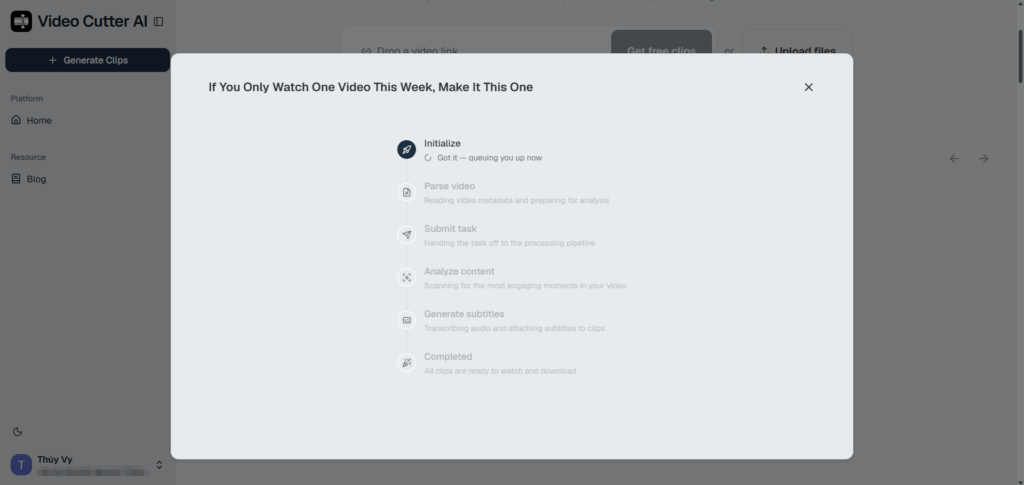
Once the settings are ready, generate the podcast clips. Video Cutter AI processes the source content and identifies sections that may work as standalone short videos.
Rather than returning only timestamps, the tool can organize each candidate with information that makes the review process easier, including:
- A generated clip title
- A short description of the selected moment
- A timestamped transcript
- A video preview
- An AI score for prioritization
This gives you several ways to evaluate a suggestion. You can scan the title and description, read the transcript for context, and preview the actual video before deciding whether it belongs in your publishing plan.
AI is especially helpful when processing a long podcast because the best moments are not always located at obvious chapter breaks. A powerful quote may appear in the middle of a broader answer, while a valuable lesson might emerge during a personal story.
Step 4: Review, Customize, and Export
AI-generated candidates are a starting point, not a replacement for editorial judgment. Review the suggested podcast video clips and select the ones that provide clear value to your audience.
Before exporting a clip, check that:
- The first sentence captures attention
- The clip makes sense without the full episode
- The beginning and ending feel natural
- The captions accurately reflect the speaker
- The subject is properly framed
- The duration suits the idea
- The content aligns with your brand voice
- The clip does not repeat another selection too closely
Prioritize quality over the total number of suggestions. A smaller group of focused, engaging videos is more valuable than a large batch of repetitive clips.
Once you are satisfied with a selection, export it and prepare the accompanying title, description, hashtags, and call to action for the target platform.
Real Example: Turning an 84-Minute Podcast into 40 Short Videos
To see how the podcast-to-short-video workflow performs with real long-form content, we added a YouTube interview titled If You Only Watch One Video This Week, Make It This One to Video Cutter AI.
The original interview was 1 hour, 24 minutes, and 43 seconds long . Manually finding every usable moment would have required watching the full conversation, recording timestamps, and evaluating each section individually.
For this example, we chose Viral as the clip focus and selected a 9:16 vertical aspect ratio . The interface also provided options for clip length, processing range, and caption style.
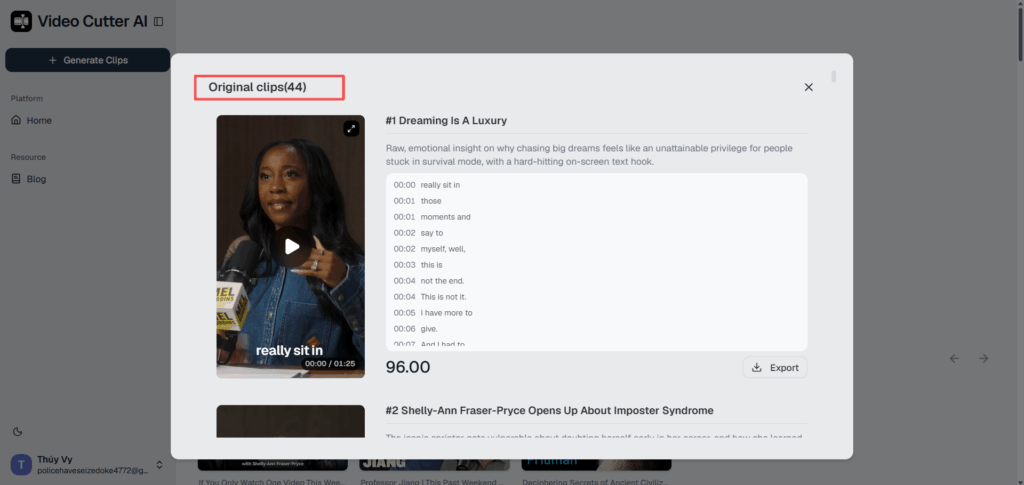
Video Cutter AI processed the 84-minute interview in approximately 10 minutes and generated 44 candidate clips . After reviewing the suggestions, we selected 40 clips for further use.
| Metric | Result |
| Original video length | 1:24:43 |
| AI processing time | Approximately 10 minutes |
| Candidate clips generated | 44 |
| Clips selected after review | 40 |
| Selected aspect ratio | 9:16 |
| Example clip length | 1:25 |
| Example AI score | 96 |
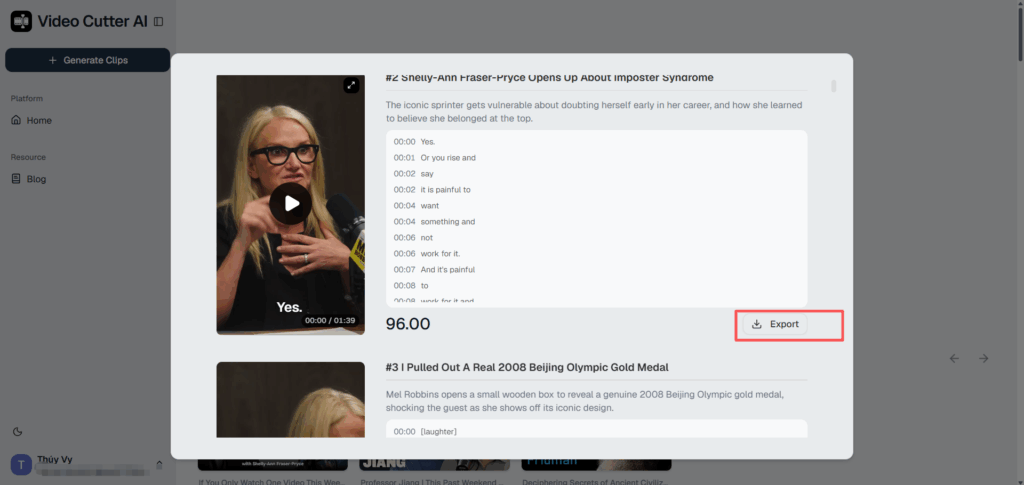
One candidate was titled “Dreaming Is a Luxury.” The selected moment explored why pursuing ambitious dreams can feel inaccessible to people who are focused on survival. Video Cutter AI turned the segment into a vertical clip lasting 1 minute and 25 seconds, accompanied by a generated description, timestamped transcript, captions, and an AI score of 96.
The tool also identified other distinct topics from the same interview, including a discussion about imposter syndrome. This separation is important because each short video should focus on a clear idea rather than attempting to summarize the entire podcast episode.
The 44 results represent candidate clips , not a claim that every suggestion should be published without review. We evaluated the results and selected 40 based on their clarity, relevance, and potential use.
Those 40 selected podcast clips could support several publishing strategies:
- One short video per day for five weeks
- Five clips per day for one week
- Different topic series built around advice, stories, and guest insights
- A cross-platform campaign for TikTok, Reels, and Shorts
- A combination of educational content and full-episode promotion
This example demonstrates the practical value of using an AI podcast clip generator. Video Cutter AI did not make the final editorial decision for us; it reduced the effort required to find possible moments and presented them in a format that was easier to review.
Best Practices for Publishing Engaging Podcast Clips
Generating clips is only part of the podcast repurposing process. How you structure and publish each video will influence whether viewers stop scrolling and continue watching.
Lead With the Strongest Moment
Do not assume that a podcast clip needs the same chronological structure as the original conversation. Greetings, introductions, and background information may be useful in a full episode but too slow for short-form platforms.
When possible, open with the sentence that creates curiosity or communicates the main tension. For example:
- “The biggest mistake new creators make is…”
- “I didn’t realize I had imposter syndrome until…”
- “Most people approach this completely backward.”
- “Dreaming can feel like a luxury when you’re in survival mode.”
The opening should establish a reason to keep watching without resorting to a misleading hook.
Focus on One Standalone Idea
Each podcast short should communicate one insight, story, question, or takeaway. Avoid combining several unrelated topics in the same video simply because they appear close together in the original episode.
A focused clip is easier to title, understand, share, and discuss. It also gives you more opportunities to turn one podcast into multiple short videos instead of compressing everything into one summary.
Preserve Enough Context
Short does not mean incomplete. If viewers cannot identify who or what the speaker is discussing, the segment may feel confusing.
Include enough context to make the video understandable, but remove explanations that do not contribute to the central point. The ideal podcast clip feels concise without sounding abruptly cut.
Use Clear, Accurate Captions
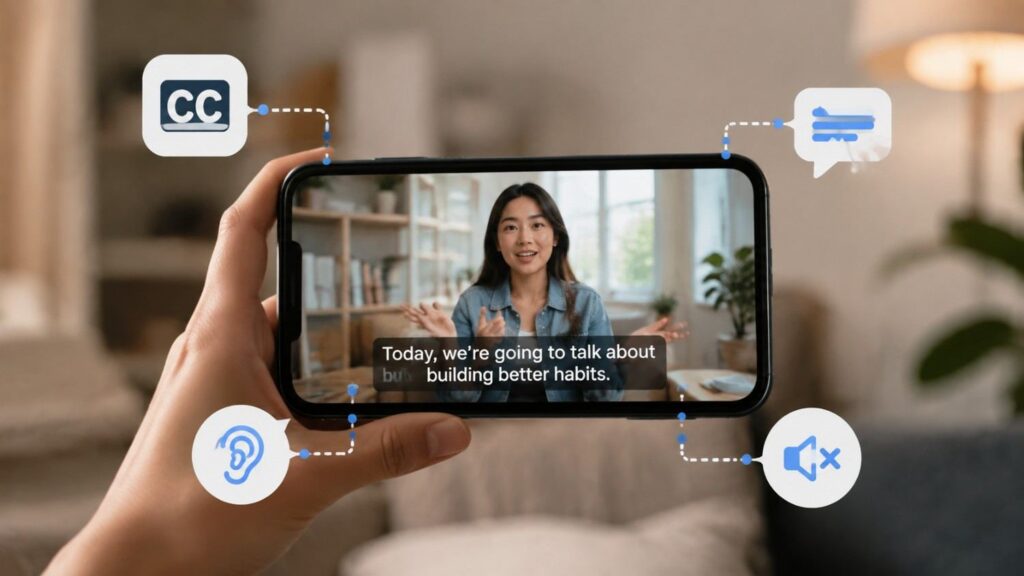
Many users encounter short videos with the sound muted. Captions help them follow the conversation and can improve accessibility for viewers who are deaf or hard of hearing.
Keep captions:
- Large enough to read on a phone
- Clearly separated from the background
- Away from platform interface elements
- Synchronized with the speaker
- Free from transcription errors
Pay particular attention to names, brands, technical terms, and industry-specific language.
Match the Format to the Platform
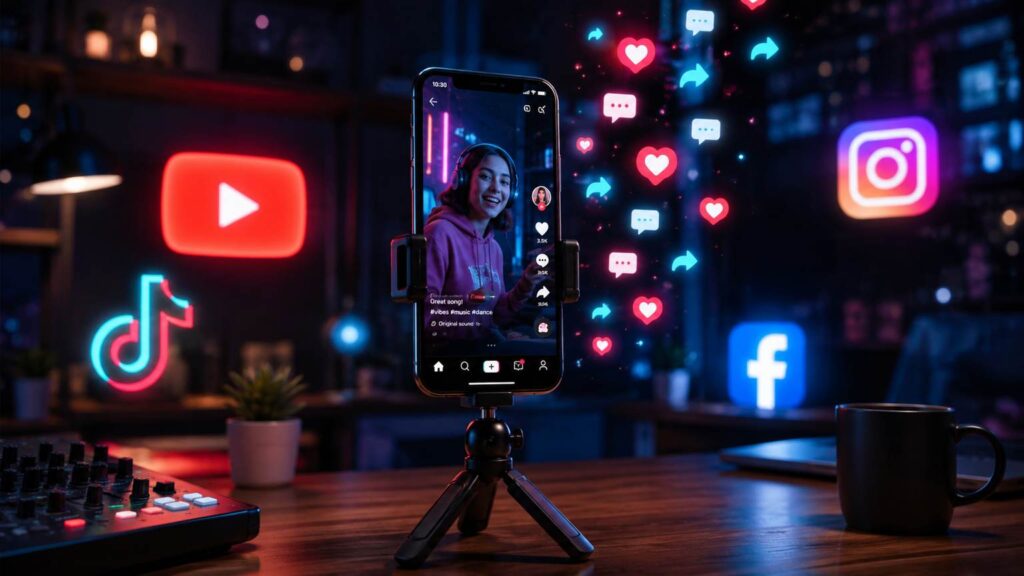
A 9:16 vertical format is suitable for TikTok, Instagram Reels, and YouTube Shorts, but the same creative approach may not perform identically everywhere.
When repurposing podcast clips across platforms, adapt the surrounding content:
- TikTok: Use a direct hook and conversational caption.
- Instagram Reels: Prioritize clear visuals and shareable insights.
- YouTube Shorts: Use a searchable title that communicates the topic.
- LinkedIn: Emphasize professional lessons, industry opinions, or leadership stories.
You may be able to reuse the core video, but titles, descriptions, calls to action, and posting times should reflect each platform’s audience.
Add a Relevant Call to Action
Not every short video needs an aggressive promotional ending. Choose a call to action that matches the clip’s purpose.
Examples include:
- “Watch the full conversation on YouTube.”
- “Follow for more podcast highlights.”
- “What do you think about this perspective?”
- “Save this tip for later.”
- “Listen to the full podcast for the complete story.”
If the objective is podcast discovery, direct viewers to the complete episode. If the objective is engagement, invite them to respond to the idea discussed in the clip.
Review Performance and Refine Your Strategy
The AI score can help prioritize candidate clips, but audience performance provides the most useful feedback after publication.
Track metrics such as:
- Average watch time
- Completion rate
- Shares and saves
- Comments
- Profile visits
- Clicks to the full episode
Over time, these signals can show whether your audience prefers practical advice, personal stories, controversial opinions, guest quotes, or question-and-answer clips. Use those findings when choosing moments from future episodes.
Frequently Asked Questions
Can Video Cutter AI Turn a YouTube Podcast into Short Videos?
Yes. You can add a YouTube podcast link, choose your clip settings, and use Video Cutter AI to identify candidate moments from the long-form video. You can then review the suggestions and export the clips you want to use.
How Long Does Video Cutter AI Take to Process a Podcast?
Processing time can vary depending on factors such as the source video’s length and the selected settings. In our example, Video Cutter AI processed a 1:24:43 YouTube interview in approximately 10 minutes , generating 44 candidate clips.
This refers to AI processing time, not the complete review, customization, and publishing workflow.
How Does AI Find the Best Moments in a Podcast?
Video Cutter AI analyzes the long-form content and looks for sections that may work as standalone videos. It organizes candidate clips with generated titles, descriptions, timestamped transcripts, previews, and AI scores to help users evaluate the results.
Creators should still review each suggestion for context, accuracy, relevance, and brand alignment.
Can I Choose the Length and Aspect Ratio of My Clips?
Yes. Video Cutter AI provides options for clip length and supports several aspect ratios, including 9:16, 16:9, 3:4, 1:1, and 4:5 . You can select the format that best matches your intended platform.
For TikTok, Instagram Reels, and YouTube Shorts, 9:16 is usually the most appropriate choice.
Can I Review and Edit Podcast Clips Before Exporting?
You can review candidate clips using their generated titles, descriptions, timestamped transcripts, previews, and AI scores before choosing which ones to export. You can also configure elements such as clip focus, duration, aspect ratio, processing timeframe, and caption style during the generation workflow.
Always review captions, framing, context, and clip boundaries before publishing AI-generated podcast clips.
Where Can I Publish the Generated Podcast Clips?
Podcast short videos can be published on platforms such as:
- TikTok
- Instagram Reels
- YouTube Shorts
- Facebook Reels
- Other vertical-video and social media channels
Adapt the title, description, hashtags, and call to action for each platform rather than posting identical metadata everywhere.
Turn Your Next Podcast into Multiple Short Videos
A long podcast is more than a single piece of content. It can become a collection of short videos, guest quotes, educational highlights, personal stories, and promotional moments.
The traditional process of finding those moments can be slow, especially when every episode lasts an hour or more. Video Cutter AI helps streamline podcast content repurposing by analyzing the source video, suggesting potential highlights, and preparing multiple podcast clip candidates for review.
In our example, an 84-minute YouTube interview was processed in approximately 10 minutes. The tool generated 44 candidates, and 40 were selected after review—enough short-form content to support several weeks of publishing.
Turn your podcast into short videos with Video Cutter AI. Add a YouTube link, choose your settings, and let AI help you find the moments worth sharing.