
Finding the best clips from a long video means identifying moments with a clear idea, enough context, and a strong reason to keep watching.
A practical process looks like this:
Scan → Identify → Check Context → Compare → Select
You can review the video manually with transcripts and timestamps or use Video Cutter AI to generate potential clips for further review. Either way, the final decision depends on whether each moment is clear, valuable, and capable of standing on its own.
What Makes a Good Clip from a Long Video?
Before searching for video highlights, it helps to define what a good clip actually is. A dramatic sentence may sound promising, but it will not make a strong standalone video if viewers cannot understand it.
It Communicates One Clear Idea
A good clip usually focuses on one central idea. It might contain a practical recommendation, a surprising opinion, a short story, an answer to a specific question, or a memorable conclusion.
Viewers should be able to describe the clip in one sentence after watching it. If a segment introduces five topics, follows three tangents, and somehow ends with a story about the speaker’s neighbor’s cat, it probably needs more editing—or it may not be a suitable clip at all.
Try completing this sentence:
“This clip is about…”
If you cannot finish it clearly, the segment probably needs a tighter focus.
It Makes Sense Without the Full Video
The best clips from long-form videos can stand on their own. Viewers should not need to watch the previous 20 minutes to understand who or what the speaker is discussing.
Be careful with openings such as “That is why it worked,” “The second one is better,” or “As I mentioned earlier.” These phrases may create curiosity, but curiosity is not the same as clarity. Viewers still need to know what worked, which option is being discussed, and why the subject matters.
Sometimes you can fix the problem by starting the clip a few seconds earlier. In other cases, you may need to add a short text label or choose a different segment that depends less on the original video.
It Gets to the Point Quickly
A strong clip does not need an exaggerated hook, but it should quickly give viewers a reason to continue watching.
A slow opening might spend several seconds introducing the subject, repeating the question, or adding verbal filler. A focused opening begins when the speaker starts delivering the actual idea.
When selecting clips from a long video, do not assume that the clip must begin at the start of a question or conversation. Look for the earliest point where the topic is clear and the content becomes valuable.
It Delivers Value and Reaches a Natural Conclusion
A worthwhile video clip rewards the viewer. That reward might be a practical takeaway, a new perspective, a useful fact, an emotional moment, or a satisfying conclusion.
The clip should also end naturally. Cutting immediately after the most dramatic sentence may remove the explanation that gives it meaning. Give the speaker enough time to complete the idea, explain the consequence, or deliver the final takeaway.
A strong ending feels intentional. A poor ending feels as though someone tripped over the power cable.

Which Moments in a Long Video Are Worth Clipping?
You do not need to treat every minute of a long video equally. Certain types of moments are naturally more suitable for standalone clips.
| Type of moment | Why it can work |
| Strong opinions | Create curiosity and encourage discussion |
| Practical tips | Give viewers advice they can apply |
| Personal stories | Add emotion, narrative, and relatability |
| Interesting answers | Resolve a clear question with a focused response |
| Useful facts | Provide concrete information or surprising comparisons |
| Funny or emotional moments | Produce a strong and memorable reaction |
| Memorable conclusions | Summarize an important lesson or takeaway |
The moments worth clipping also depend on the source material. Podcasts often contain strong opinions, disagreements, and personal stories. Interviews are more likely to produce complete answers, lessons learned, and memorable experiences. Webinars and educational videos often contain practical steps, useful examples, and concise explanations.
Livestreams may offer spontaneous reactions and audience questions, while talking-head videos often contain focused advice or commentary.
Whatever the format, do not select a moment simply because it sounds dramatic. Ask whether it gives viewers enough information to understand why it matters.
How to Find the Best Clips from a Long Video
Clip discovery and clip selection are two different tasks. First, collect several promising moments. Then compare them before deciding which ones deserve to become finished clips.
1. Scan the Video and Identify Its Main Topics
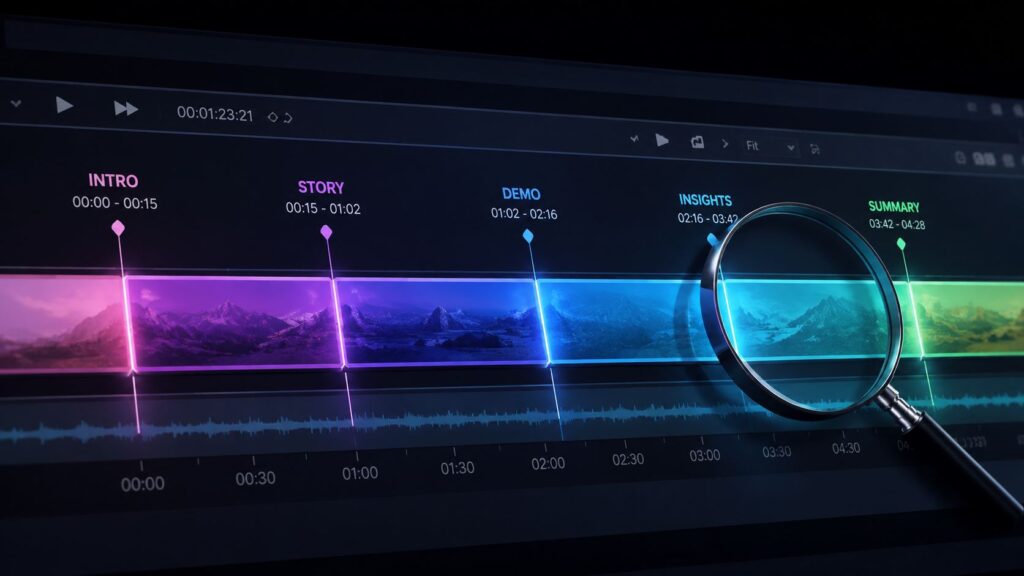
Start by understanding the structure of the video. You do not necessarily need to watch the entire recording at normal speed before identifying potential clips.
Use available chapters, timestamps, transcripts, presentation slides, questions, or speaker changes to create a simple topic map:
00:00–04:20 — Introduction
04:21–12:40 — Common content repurposing mistakes
12:41–21:15 — How to choose video highlights
21:16–31:30 — AI clipping workflow
31:31–38:10 — Editing considerations
38:11–42:00 — Final questions and takeaways
A topic map helps you focus on the sections most likely to contain useful material. It also prevents you from spending equal time on introductions, housekeeping, repeated explanations, and other low-density parts of the recording.
If a transcript is available, look for phrases that often signal a potentially valuable moment, such as “the biggest mistake,” “here is what I recommend,” “for example,” or “the lesson I learned.”
These phrases do not guarantee a good clip, but they provide sensible places to begin your search.
2. Mark Strong Ideas, Stories, and Takeaways
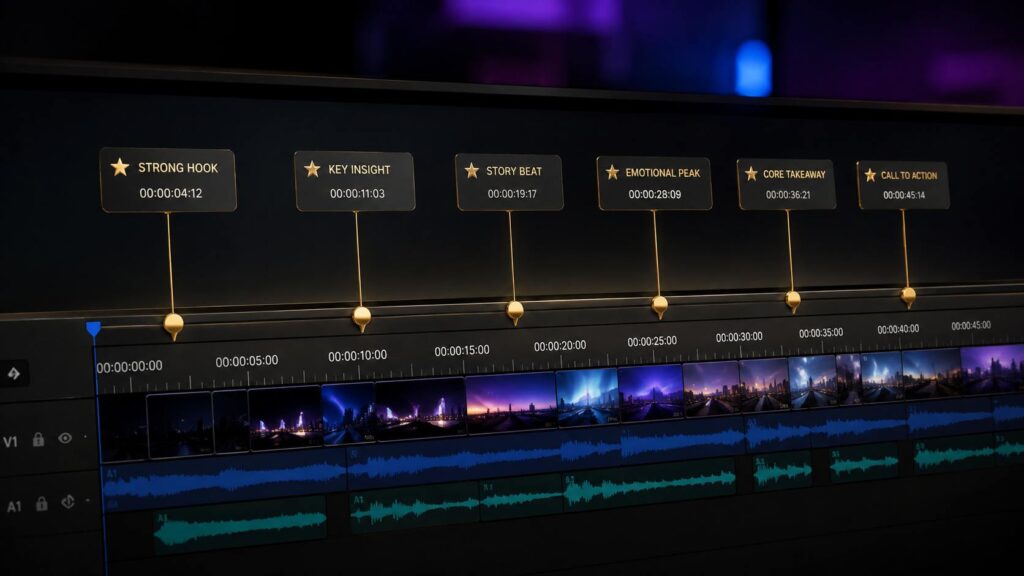
During the first review, collect candidates broadly. Mark any moment that might become a standalone video clip, even if its exact beginning and ending are not yet obvious.
At this stage, focus on the core of the potential clip. It might be a concise explanation, a counterintuitive claim, a practical sequence of steps, a personal lesson, or a clear answer to an interesting question.
Record a short description beside each timestamp:
07:42 — Why short clips fail without context
14:08 — Three signs that a moment is worth clipping
22:31 — Story about editing a long interview
29:17 — Manual review versus AI clip selection
36:04 — Final advice for first-time creators
These labels make it easier to compare potential video highlights later. You do not need to choose the final boundaries yet; simply identify where the valuable idea appears.
3. Check the Context Around Each Moment
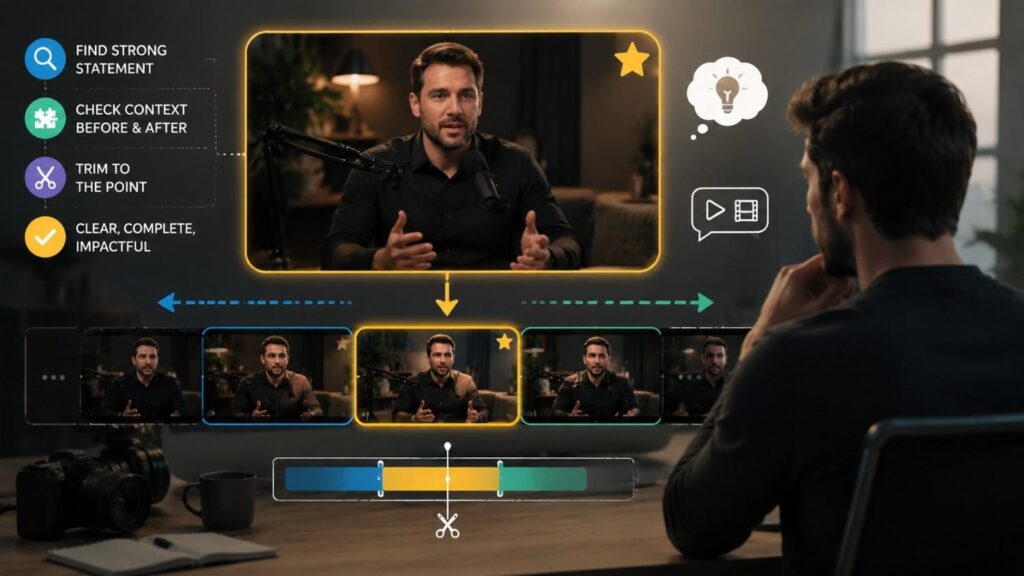
After finding a strong statement, review what happens immediately before and after it.
Determine whether the speaker clearly identifies the subject, whether the segment depends on an earlier question, and whether references such as “it,” “that,” or “they” are understandable. You should also check whether the speaker explains why the statement matters and whether the conclusion is included.
A reliable method is to begin with the strongest sentence and expand outward. Move backward until viewers have enough context, then move forward until the idea reaches a natural conclusion. After that, remove anything that does not support the central point.
For an interview clip, consider whether the interviewer’s question needs to remain. Keep it if the answer would otherwise be confusing. Remove or shorten it when the guest naturally restates the subject.
The goal is to provide enough context—not to preserve every second surrounding the original moment.
4. Compare and Rank Your Candidate Clips
Do not export the first acceptable segment you find. Compare multiple candidates using consistent criteria.
| Criterion | Question | Score |
| Clarity | Does the clip communicate one clear idea? | 0–2 |
| Context | Can viewers understand it without the full video? | 0–2 |
| Opening | Does it become interesting quickly? | 0–2 |
| Value | Is it useful, surprising, emotional, or entertaining? | 0–2 |
| Ending | Does it reach a natural conclusion? | 0–2 |
The scoring table is not intended to predict views. It simply gives you a consistent way to compare potential clips instead of relying entirely on instinct.
Audience relevance matters as well. A detailed technical explanation might be an excellent clip for experienced professionals but confusing for beginners. The best clip is always the best clip for a particular audience, topic, and purpose.
5. Select the Strongest and Most Distinct Clips
After comparing the candidates, choose moments that are both strong and meaningfully different from one another.
Avoid selecting several clips that repeat the same conclusion in slightly different words. A varied collection might include a practical tip, a personal story, a strong opinion, a common mistake, and a memorable takeaway.
Do not force yourself to reach a predetermined number. A focused 20-minute interview may produce more good clips than a repetitive two-hour discussion. Content density matters more than video length.
Select the moments that communicate something worthwhile rather than keeping weaker clips simply to meet a quota.

How to Turn a Promising Moment into a Standalone Clip
Finding a strong statement is only the beginning. The next step is deciding how much of the surrounding discussion belongs in the final clip. Keep enough context to establish the subject, communicate the central idea, and reach a satisfying conclusion—but remove setup or repetition that does not help viewers understand the point.
Identify the Core Statement
Start with the sentence or short section that contains the main idea. It should be the part viewers are most likely to remember or use to summarize the clip.
Do not decide the final start point yet. First, identify exactly what makes the moment worth clipping. It may be a practical takeaway, a surprising observation, a clear answer, or the turning point in a story.
Add Only the Context Viewers Need
Review the sentences immediately before the core statement. Keep the shortest section that clearly identifies the topic and makes references understandable.
If the speaker’s answer already names the subject, the interviewer’s full question may be unnecessary. However, if the answer begins with an unclear phrase such as “That was the biggest problem,” include enough of the preceding discussion to explain what “that” refers to.
Context should improve understanding rather than simply make the clip longer.
Choose Natural Start and End Points
Start the clip where the subject becomes clear, not automatically where the original answer begins. End it after the speaker completes the takeaway or provides the explanation needed to support it.
Remove repeated setup, verbal filler, and duplicated conclusions only when doing so preserves the speaker’s intended meaning. The finished clip should feel like a complete piece of content, not a sentence pulled from the middle of a conversation.
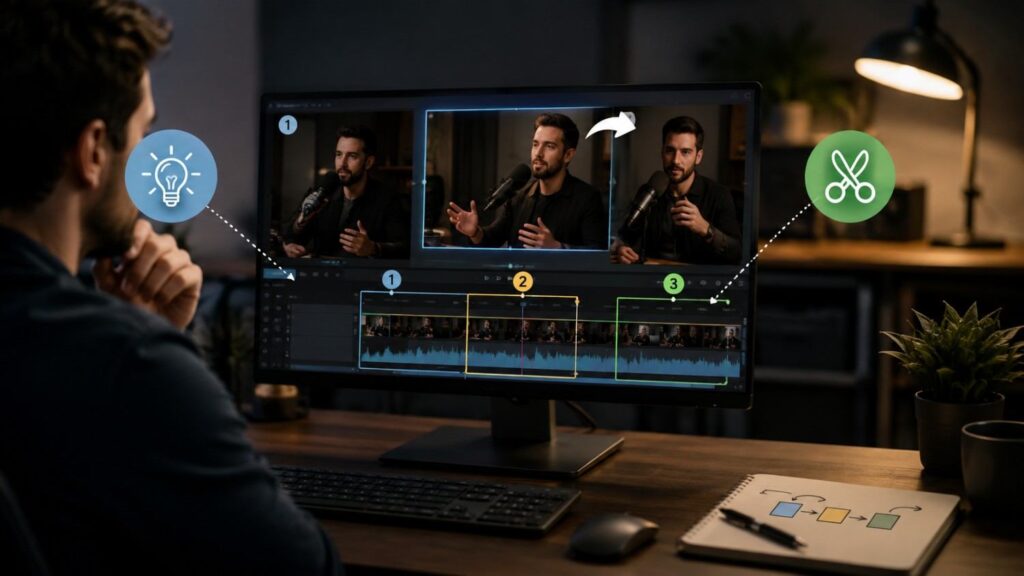
How to Find Potential Clips with Video Cutter AI
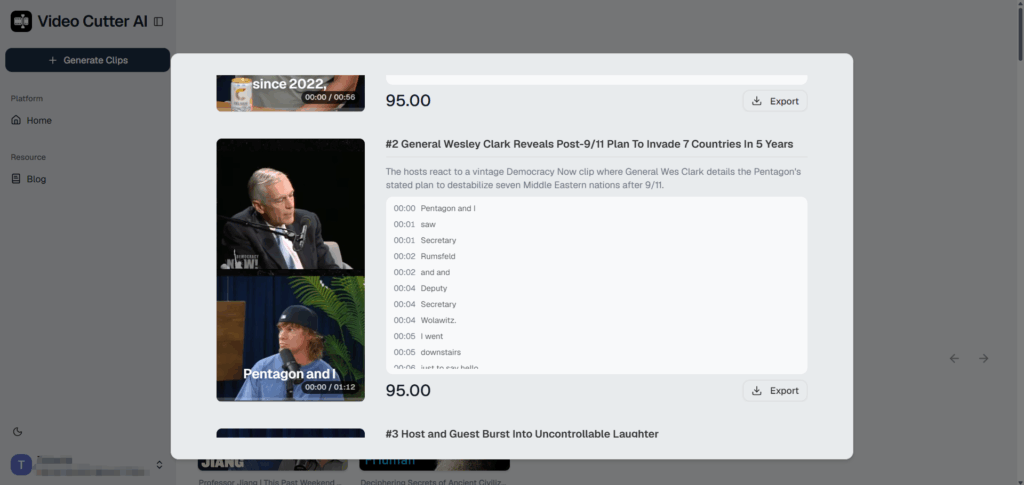
Manually reviewing timestamps and transcripts gives you precise control, but the process can be slow when a recording lasts an hour or more. Video Cutter AI can shorten the discovery stage by generating potential clips from long-form videos. Instead of searching every minute manually, you can begin with a selection of candidates and focus on evaluating their context, clarity, and overall value.
Start by uploading the long video you want to review. It might be a podcast, interview, webinar, livestream, or another type of speech-focused recording. Clear audio and well-structured topics generally make potential highlights easier to evaluate.
After the video is processed, review the generated clip candidates rather than assuming that every suggestion is ready to publish. A useful candidate should express a clear idea, contain enough context, and reach a satisfying conclusion. Compare the suggestions with one another as well, since multiple clips may cover similar points.
AI-selected boundaries may also need adjustment. A clip might need to start a few seconds earlier to identify the subject or end slightly later to complete the thought. Remove unnecessary filler, retain supporting details when they improve clarity, and confirm that the final version preserves the speaker’s intended meaning.
The practical workflow is:
Generate candidates → Review context → Refine boundaries → Select the strongest clips
AI can make it faster to locate promising moments, but human review remains important. The tool can help build the shortlist; you still decide which clips are accurate, distinctive, and worth sharing.
That means less time dragging a playhead through 90 minutes of polite podcast introductions—and more time making useful editorial decisions.
Common Mistakes When Choosing Clips from Long Videos
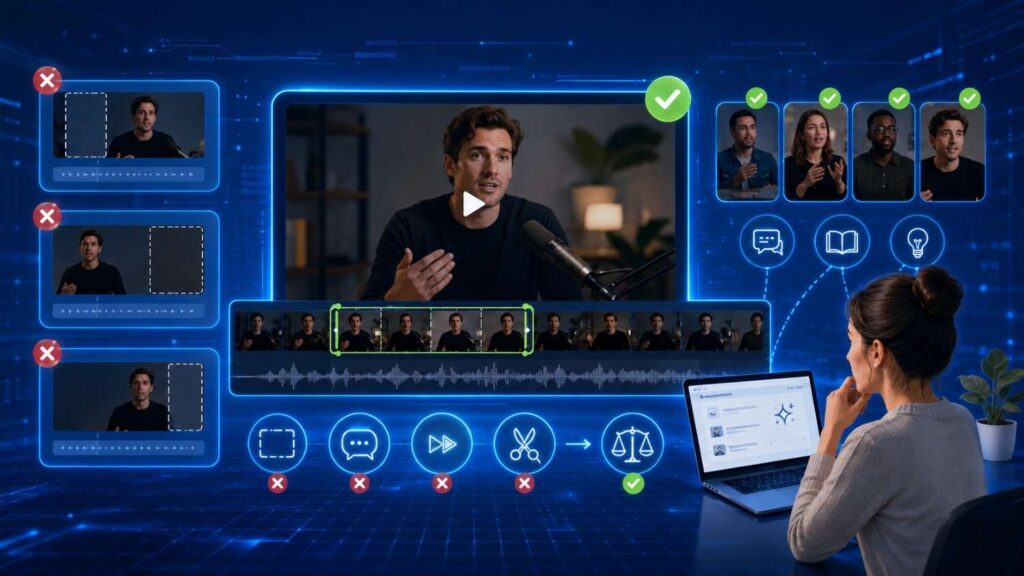
One of the most common mistakes is selecting a clip without enough context. The statement may sound powerful, but viewers cannot tell what the speaker is discussing. Starting a few seconds earlier often solves the problem.
The opposite mistake is keeping too much setup. Long questions, repeated explanations, verbal filler, and slow introductions can weaken an otherwise strong moment. Begin where the subject becomes clear, not automatically where the conversation begins.
Starting too late can be just as damaging. If you remove the sentence that defines the topic, viewers must work out what the speaker means before they can appreciate the point.
Another frequent problem is cutting off the conclusion. A dramatic sentence might appear to be the perfect ending, but the speaker may qualify or explain it immediately afterward. Removing that detail can make the clip incomplete or misleading.
You should also avoid choosing several clips that communicate essentially the same idea. A set of short videos becomes more useful when it combines different stories, opinions, examples, and takeaways.
Finally, review AI-selected clips with the same care as manually selected moments. Automation can accelerate discovery, but it does not remove the need to check context, meaning, and quality.
What to Do After Selecting Your Best Clips
Once you have selected the strongest moments, refine the start and end points, review the captions and on-screen text, and prepare each clip for publication. This article focuses on identifying and choosing worthwhile moments; the next stage is formatting and editing those selections as short-form videos.
For that complete workflow, read our guide on how to turn long videos into Shorts with AI.
A Simple Checklist for Choosing the Best Video Clips
Before finalizing a clip, ask:
- Does it communicate one clear idea?
- Can viewers understand it without the full video?
- Does it get to the point quickly?
- Is it useful, interesting, surprising, or entertaining?
- Does it have a natural beginning and ending?
- Is it different from the other selected clips?
- Does it preserve the speaker’s original meaning?
- Have you watched the finished clip from beginning to end?
If a candidate fails several of these checks, further trimming may not fix the underlying problem. Sometimes the better editorial decision is simply to choose another moment.
Frequently Asked Questions
How do I find good clips in a long video?
Begin by dividing the video into its main topics. Mark strong ideas, stories, answers, examples, and takeaways, then review the context around each moment. Compare several candidates before selecting clips that are clear, valuable, and different from one another.
A transcript, chapters, and timestamps can make manual review faster. AI-assisted tools can also generate potential clips for you to evaluate.
What makes a video clip worth sharing?
A shareable video clip usually communicates one clear idea, reaches the subject quickly, and gives viewers something useful, interesting, emotional, surprising, or entertaining.
It should also contain enough context to make sense without the full video and end at a point that feels complete.
How long should a clip from a long video be?
A clip should be long enough to communicate a complete idea but short enough to avoid unnecessary setup, repetition, and tangents.
There is no universal ideal length. The appropriate duration depends on the complexity of the subject, the target audience, and how much context the idea requires. Choose the content first, then refine the length.
Can AI find the best clips from a long video?
AI can analyze long-form content and generate promising clip candidates, reducing the amount of footage you need to search manually. However, deciding which clips are “best” still requires judgment. Video Cutter AI can help identify potential moments, but each candidate should be reviewed for context, relevance, accuracy, and natural start and end points.
How many clips can you make from one long video?
The number depends on the video’s content density, the number of distinct topics, the amount of repetition, and how many moments can stand on their own.
A focused 30-minute video may contain several strong clips, while a loosely structured two-hour discussion may contain only a few. Quality and variety matter more than reaching a fixed number.
Do I need a transcript to find video clips?
A transcript is not required, but it makes it easier to scan topics, search for important phrases, compare statements, and locate complete ideas. It is particularly useful for podcasts, interviews, webinars, and other speech-heavy videos.
However, a transcript cannot show pacing, tone, facial expressions, or visual context. Always watch the final clip before using it.
Find Better Clips from Long Videos
Finding the best clips from a long video is not simply a matter of choosing the shortest or most dramatic moments. Strong clips communicate a complete idea, provide enough context, get to the point quickly, and give viewers a reason to keep watching.
Use a consistent process: scan the video, identify promising moments, check their context, compare the candidates, and select the strongest and most distinct clips.
You can complete this process manually with transcripts and timestamps. If you want to reduce the time spent searching through footage, Video Cutter AI can generate potential clips for you to review and refine. Upload your long video and start finding the moments worth sharing.