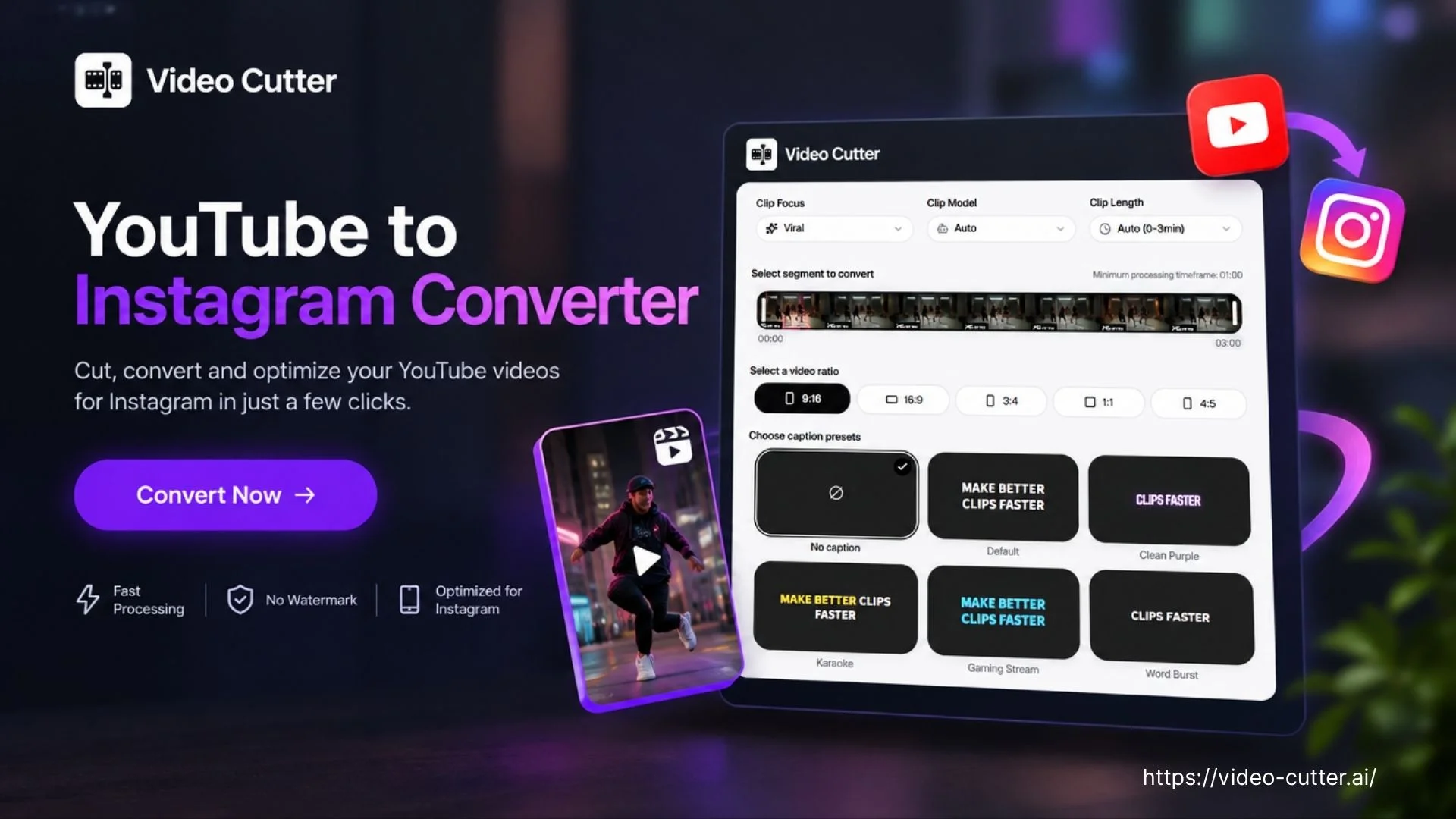
YouTube to Instagram Converter

Paste a YouTube link and let AI find highlights, add captions, and turn them into Instagram-ready clips.

orUpload files

AI-selected highlights

Vertical reframing

Editable captions

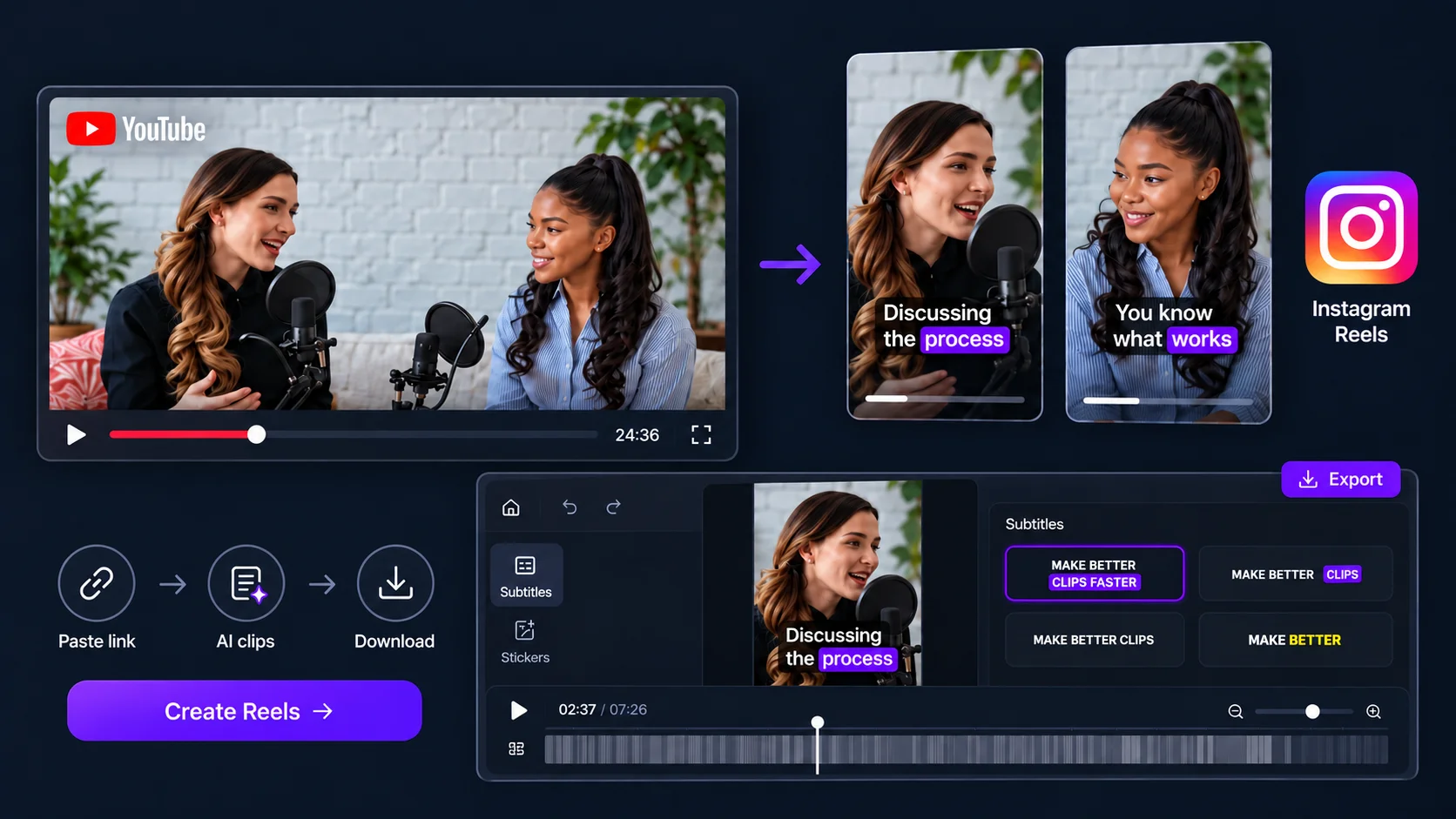
A YouTube interview converted into captioned Instagram Reels

Trusted by creators from

YouTube to Instagram Converter interface with captioned vertical clips

YouTube to Instagram: Convert to INS Reels Free with AI

Convert YouTube videos to Instagram Reels with AI. Find highlights, crop to vertical, and add captions to create clips ready to share. Start converting for free.

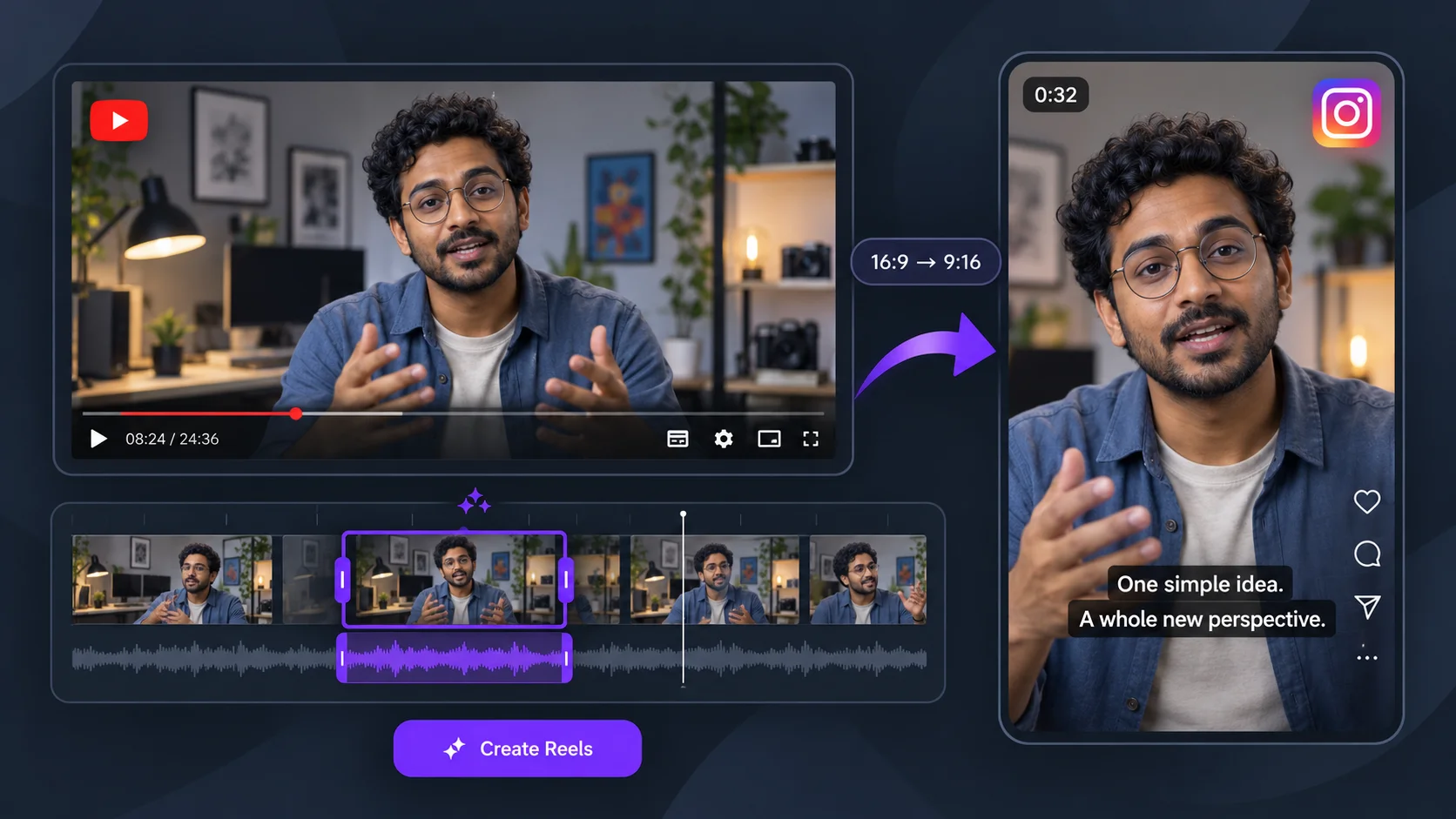
Landscape YouTube video reframed as a vertical Instagram Reel

What Is YouTube to Instagram Converter?

Video Cutter AI's YouTube to Instagram Converter turns a YouTube link into short, captioned videos for Instagram Reels. AI selects moments and adapts them to a vertical frame for you to preview and download. For highlights beyond Instagram, use Highlight Video Maker to prepare clips for other channels.

How to Use YouTube to Instagram Converter

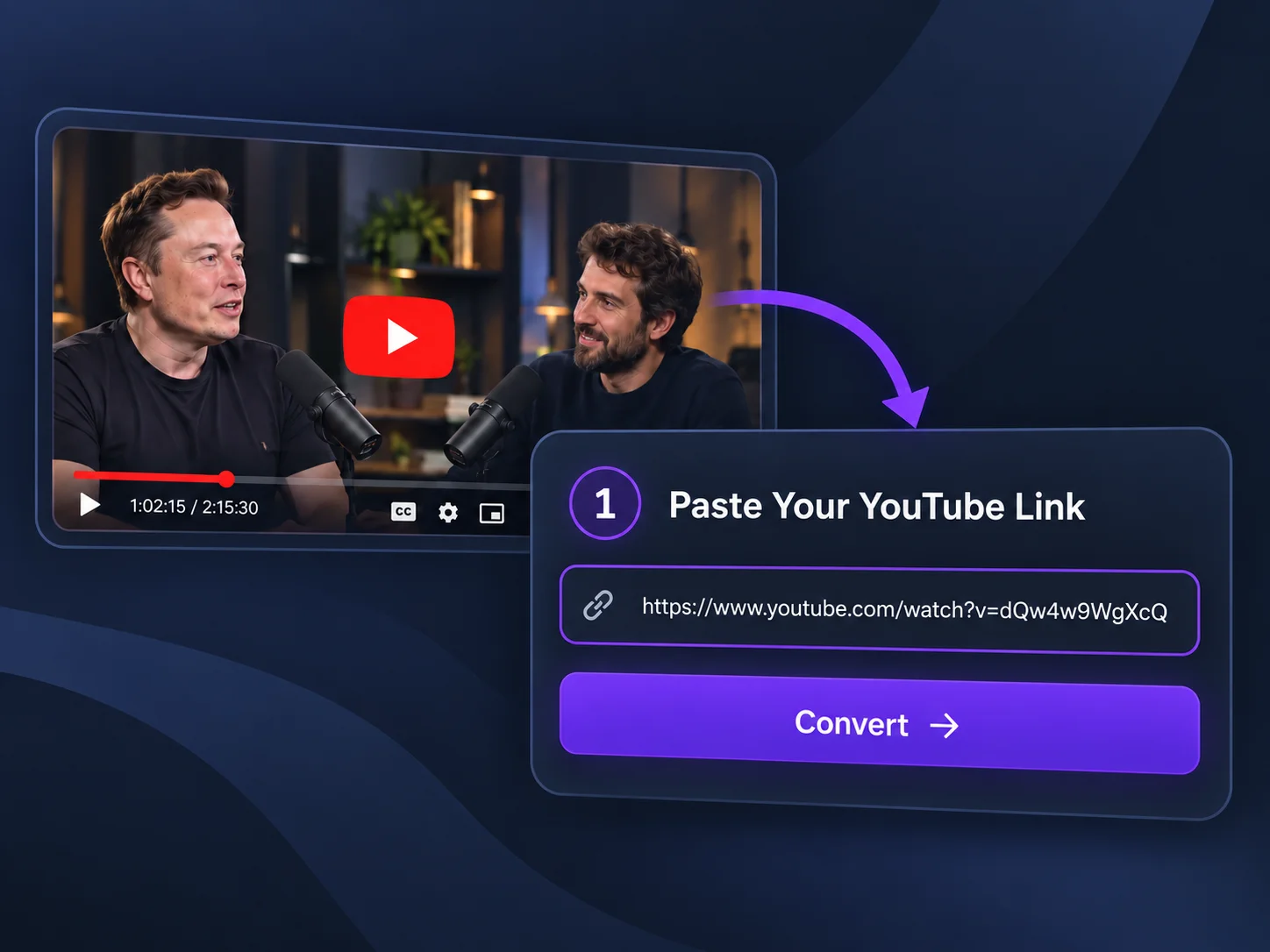
1

Paste Your YouTube Link

Paste the link to your YouTube video into the input box. Start with a full podcast, interview, or tutorial you want to share on Instagram.

Paste Your YouTube Link
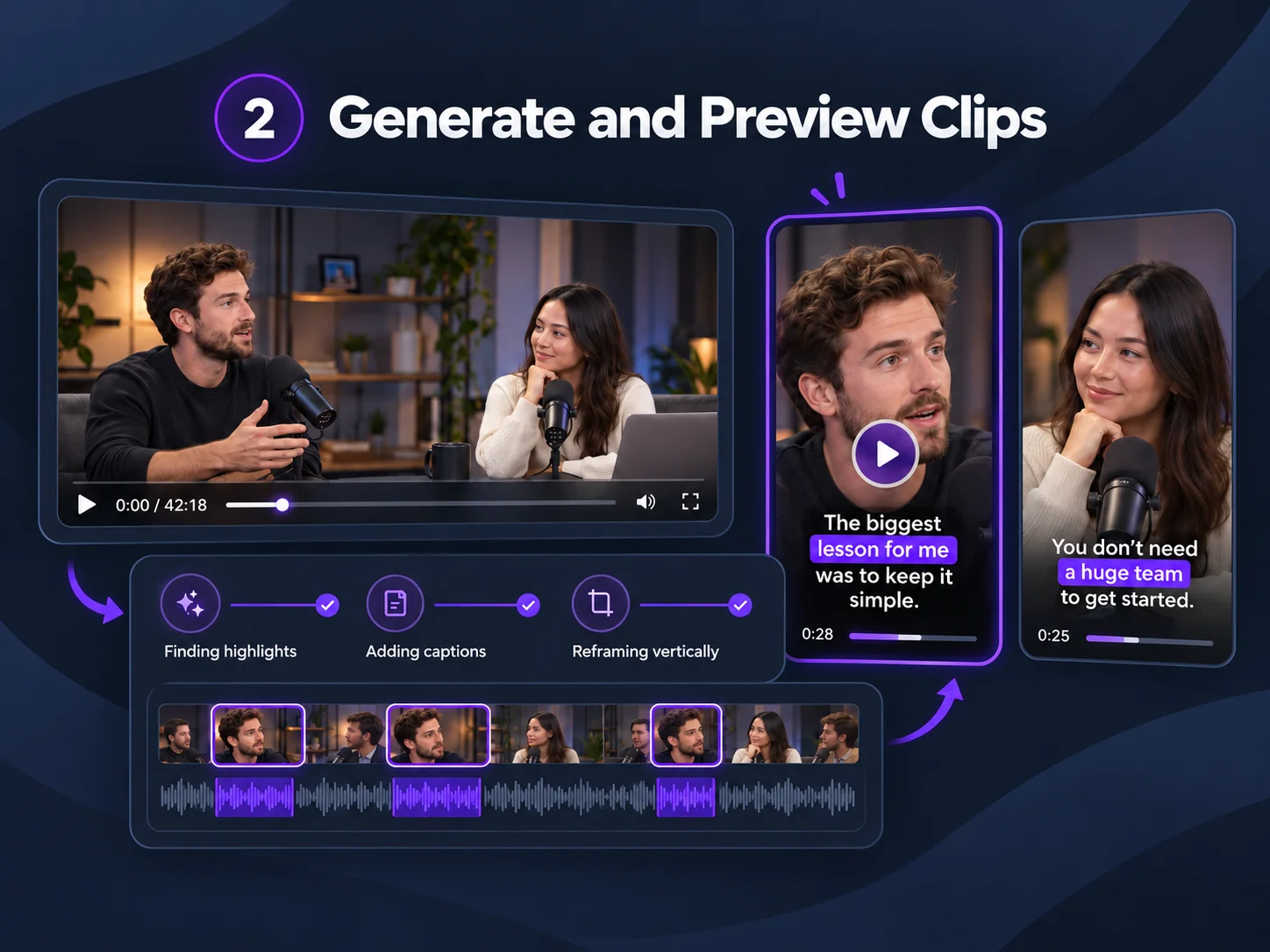
2

Generate and Preview Clips

Click to generate clips. AI finds highlights, adds captions, and reframes footage vertically. Preview the results and choose what to keep.

Generate and Preview Clips
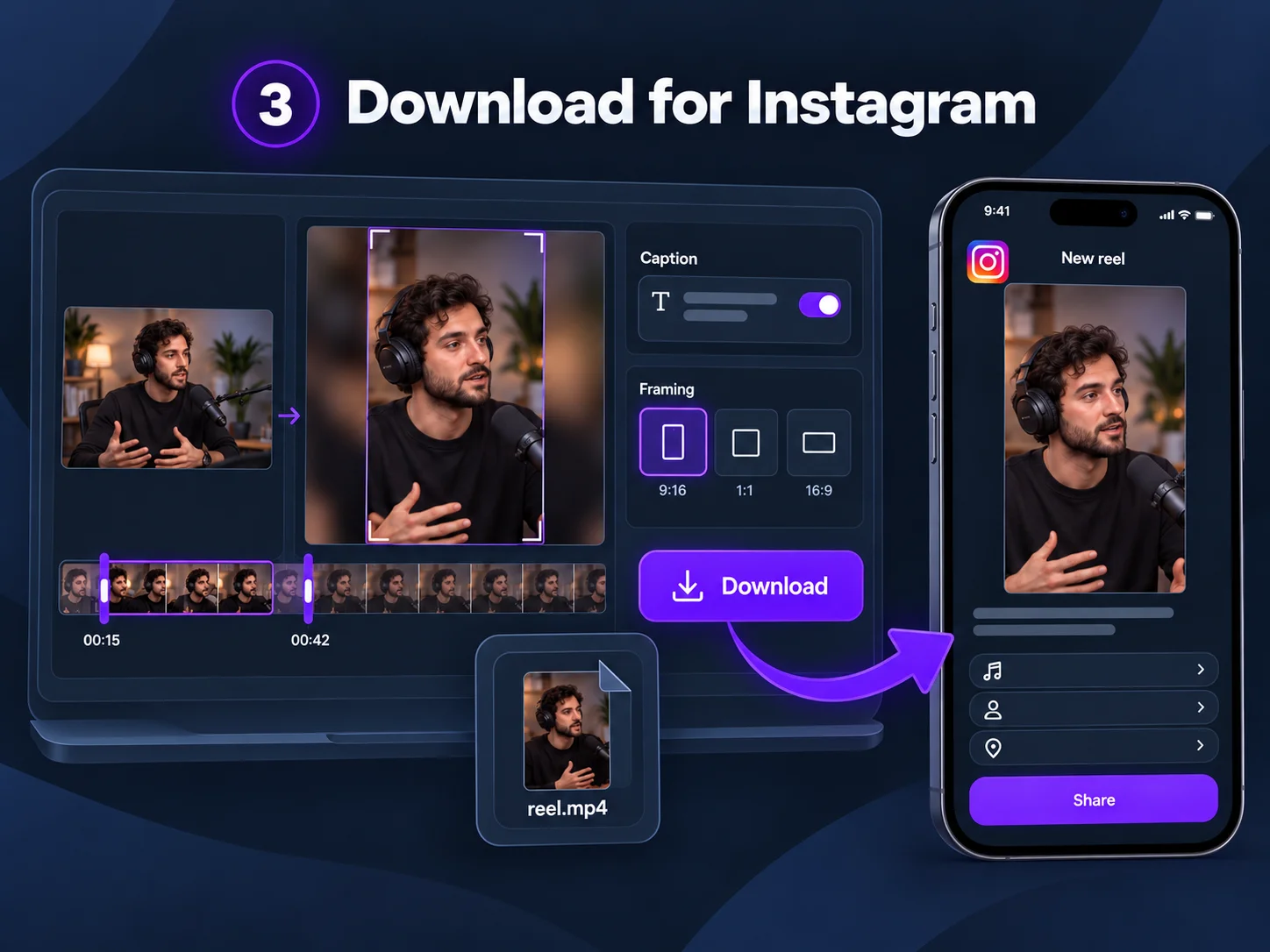
3

Download for Instagram

Review the opening, ending, captions, and framing of each clip. Download your selected videos, and then upload them to Instagram as Reels.

Download for Instagram

Why Choose Video Cutter AI's YouTube to Instagram Converter?

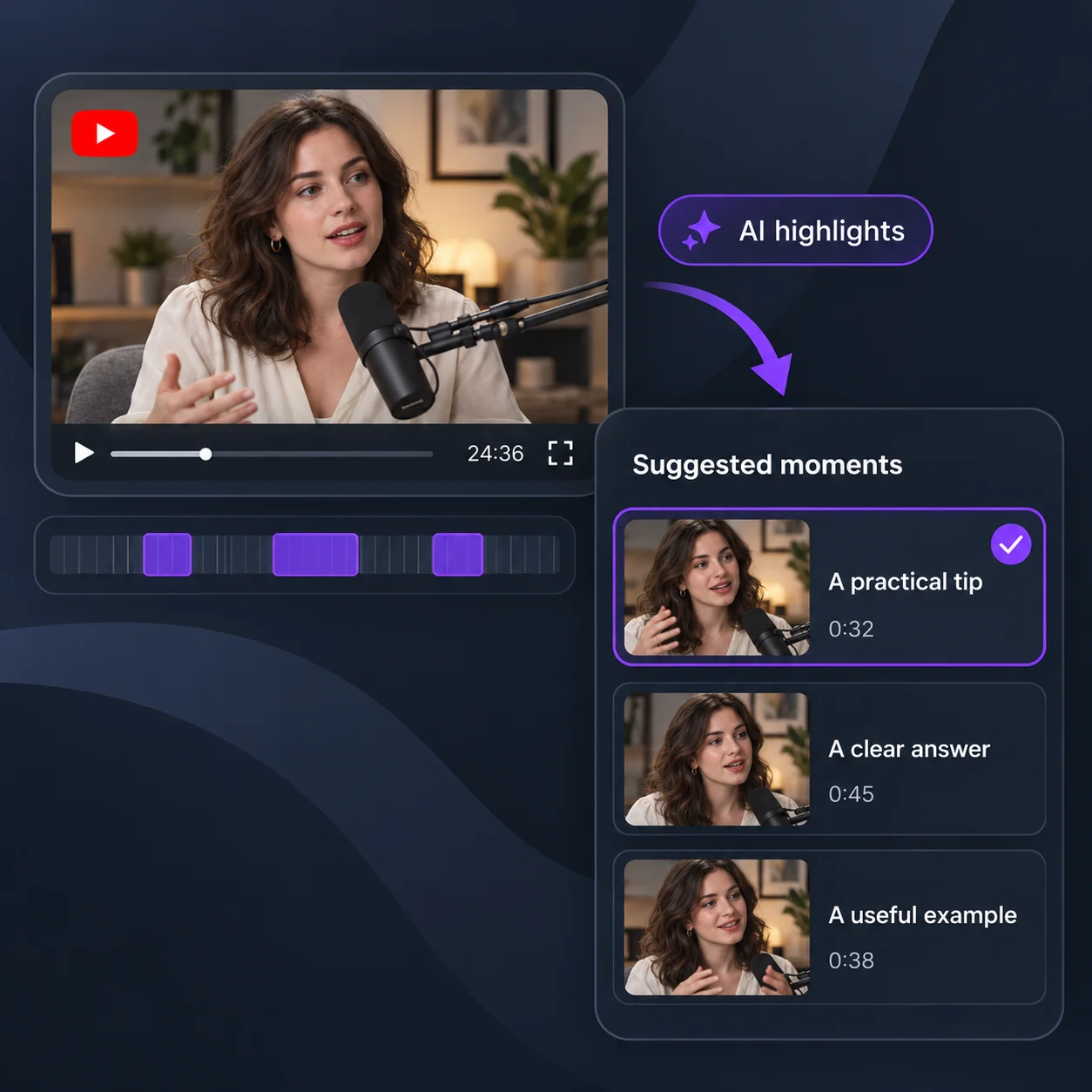
Find Reel-Worthy YouTube Moments

Find Reel-Worthy YouTube Moments

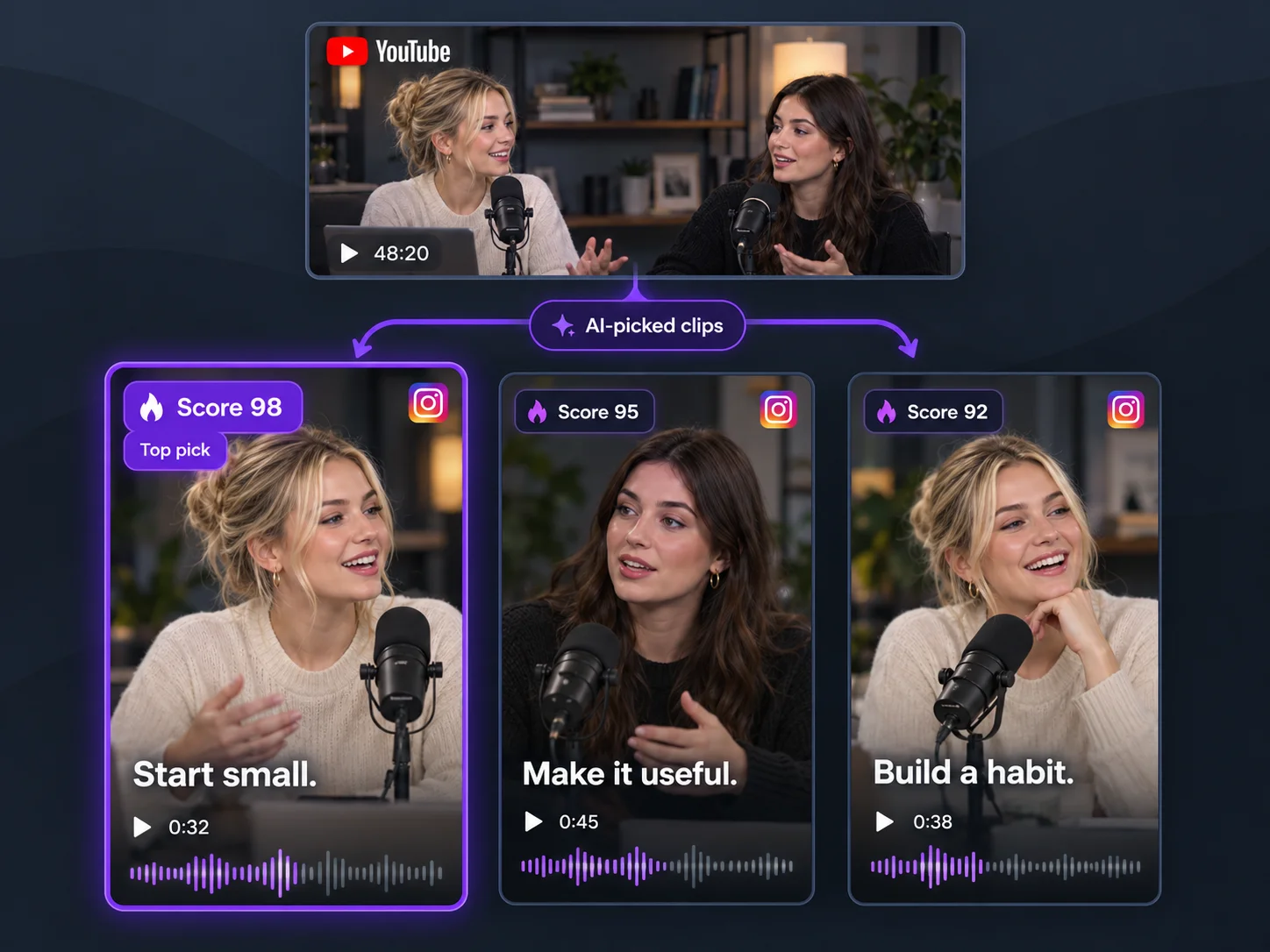
An Instagram Reel needs to make sense beyond your YouTube channel. YouTube to Instagram Converter finds moments in long videos that can become standalone Reels. Choose a clear answer, useful tip, or memorable exchange, then check that viewers can follow it without the original video's title or context.
Fit YouTube Videos to Reels

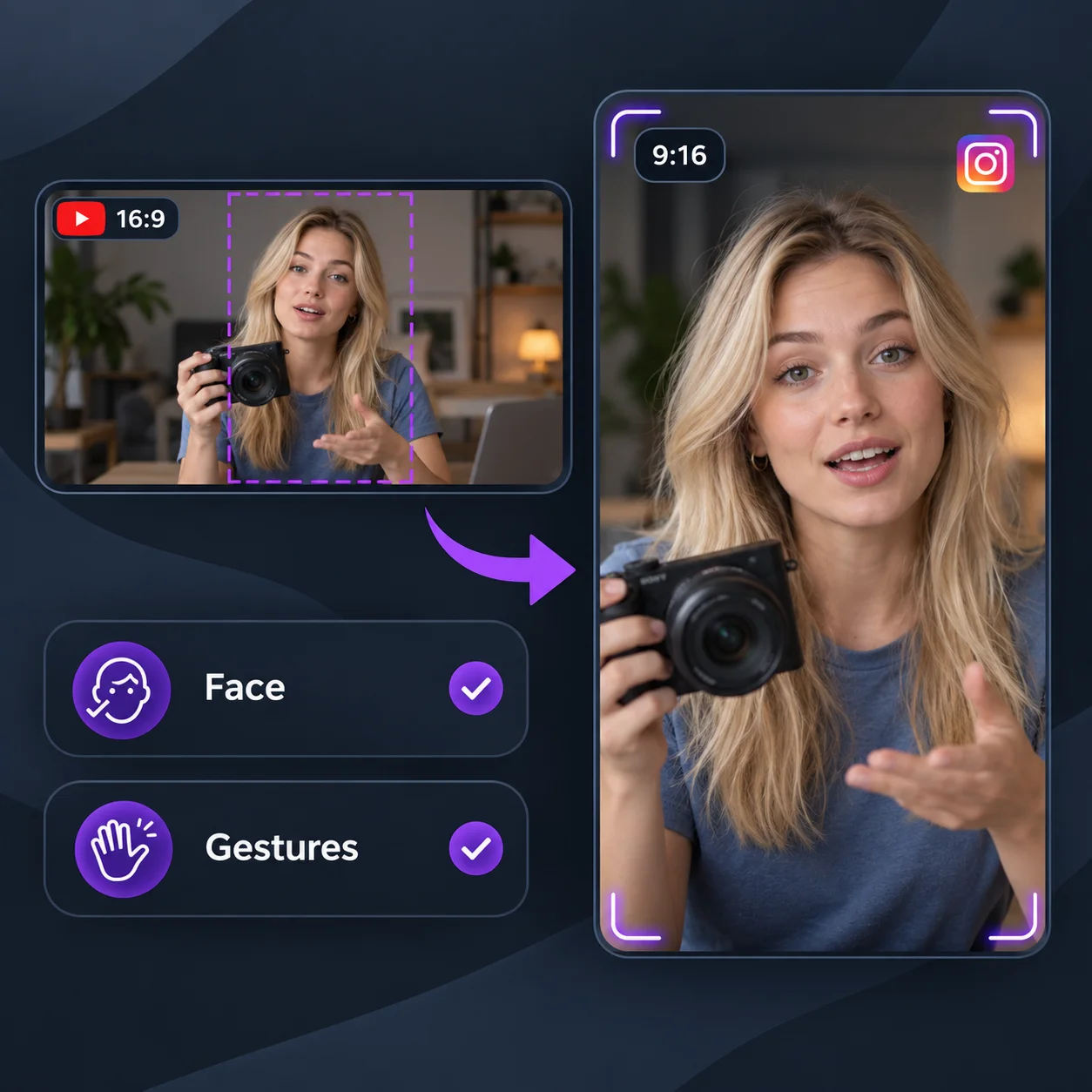
Fit YouTube Videos to Reels

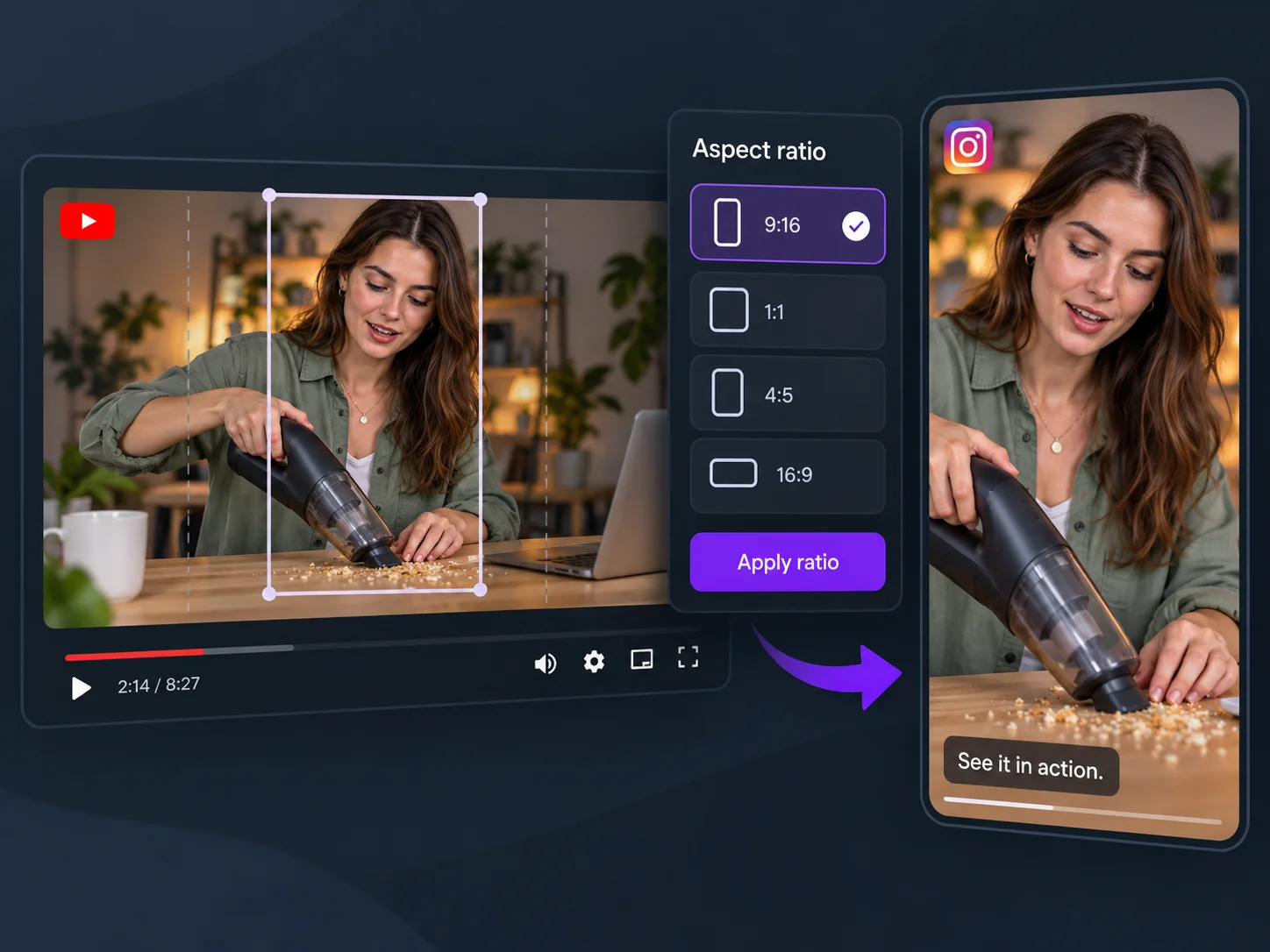
A wide YouTube shot can leave the speaker too small on a vertical Reels screen. YouTube to Instagram Converter reframes footage vertically so the person stays visible. Preview interview clips and demonstrations to check that the crop keeps the face, gestures, or product detail your Instagram viewer needs.

Customize Your Reels Captions

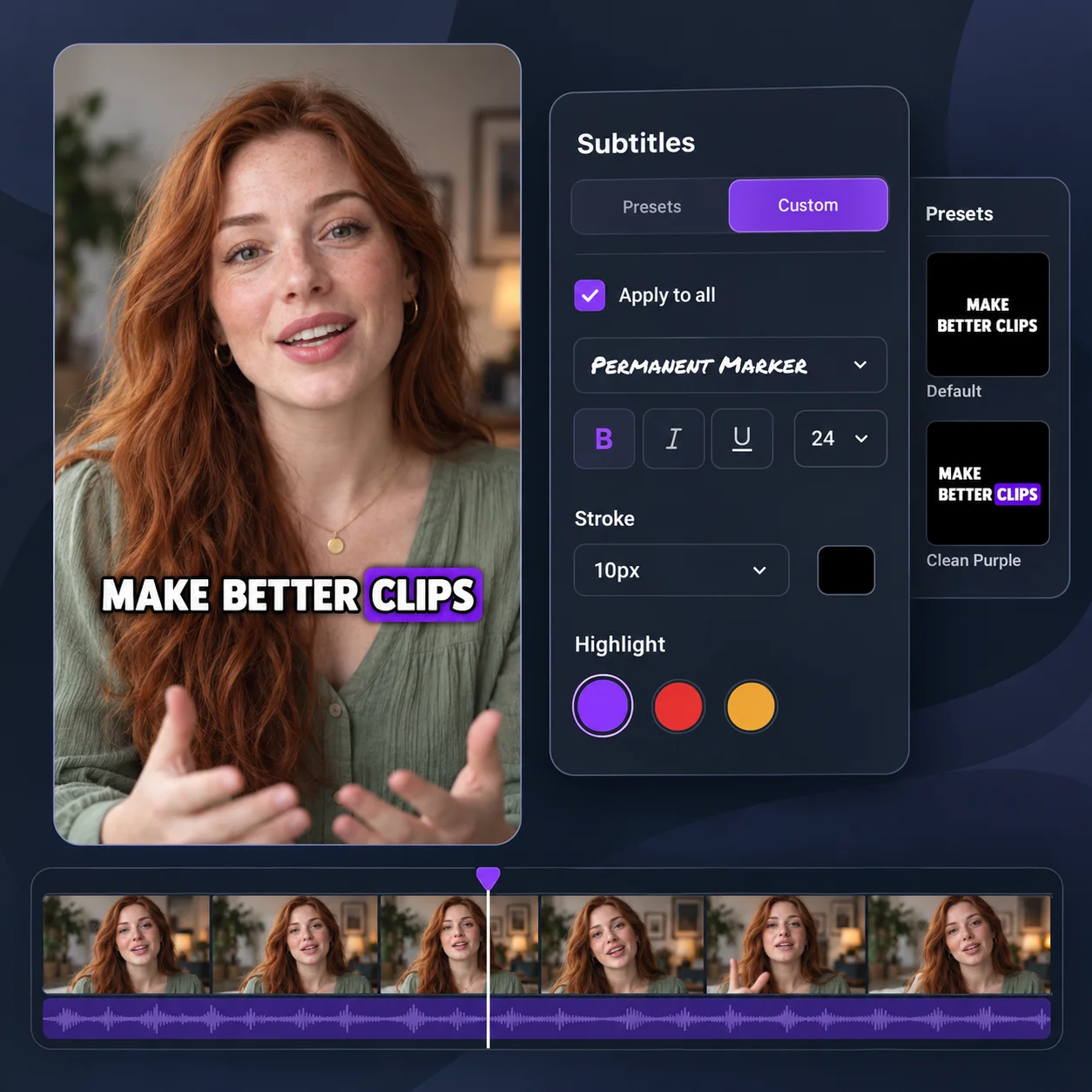
Customize Your Reels Captions

Help Instagram viewers follow your Reels even with sound off. YouTube to Instagram Converter adds captions you can preview and adjust in Video Cutter AI. Choose a subtitle style, check text size and placement on the vertical canvas, and keep words clear of faces before exporting your Instagram clips.

Ways to Use YouTube to Instagram Converter

Podcast Previews for Instagram

Podcast Previews for Instagram

Introduce a YouTube interview to Instagram viewers with a guest story or a complete answer. YouTube to Instagram Converter turns that moment into a captioned Reel to preview the episode. For square or landscape versions to share elsewhere, use Podcast to Video to prepare clips for your other channels.

Quick Lessons from YouTube Tutorials

Quick Lessons from YouTube Tutorials

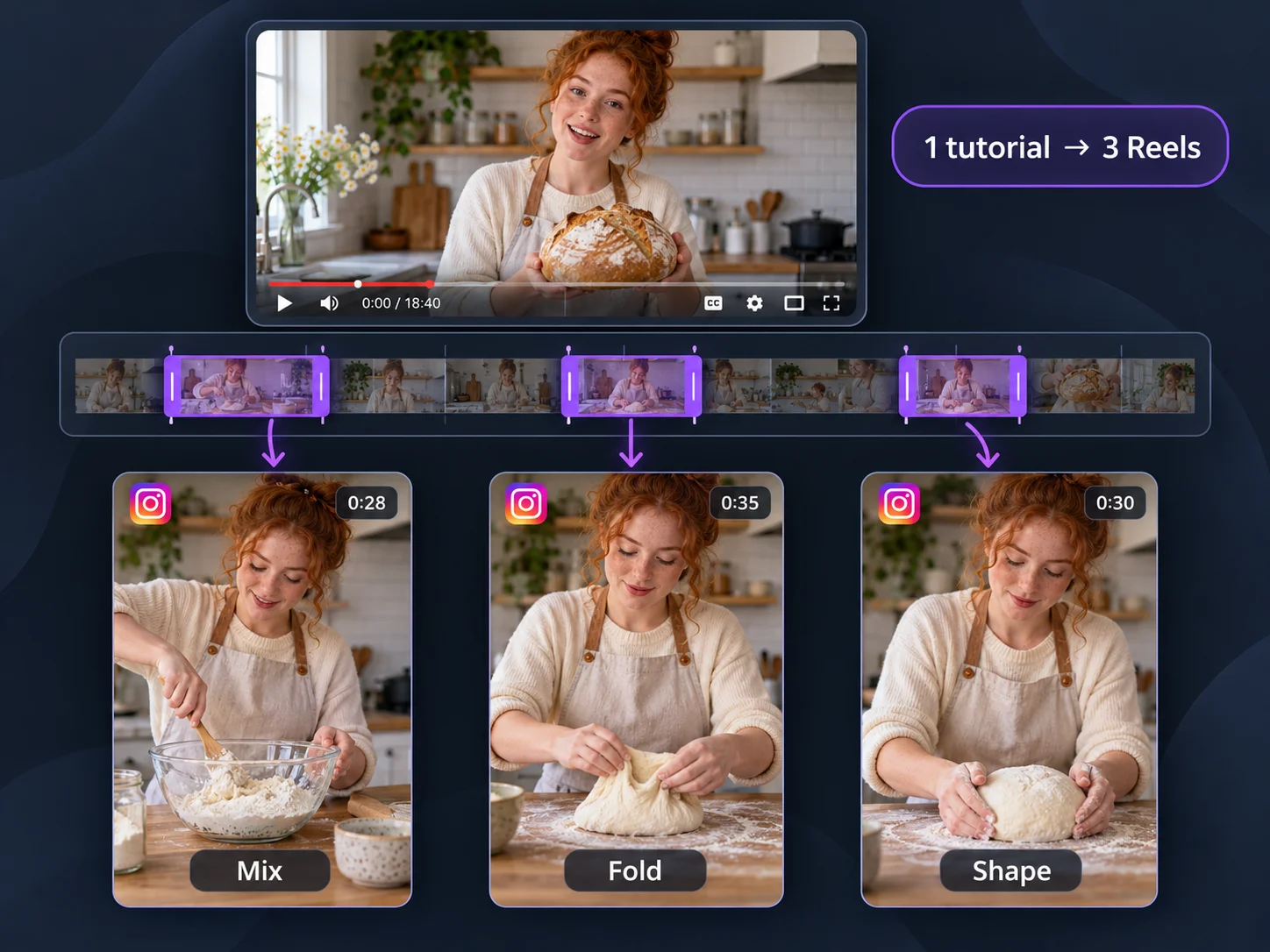
Have a YouTube tutorial that covers more than one task? Use YouTube to Instagram Converter to make a Reel around one recipe step, exercise, or software shortcut. Keep the explanation and demonstration together so Instagram viewers get a tip they can follow, save, and revisit outside the full lesson.

Product Demos for Instagram Shoppers

Product Demos for Instagram Shoppers

Already filmed a product review or demo for YouTube? YouTube to Instagram Converter helps you turn a feature test, unboxing moment, or comparison into a focused Reel. Show Instagram shoppers how the product works and what the result looks like, using existing footage to answer a specific buying question.

Bring Your Next YouTube Video to Instagram Reels

Your next post could be in a video you already made. Use YouTube to Instagram Converter to find a moment worth sharing, review the result, and download it for your audience.

What Users Say About YouTube to Instagram Converter

Our interviews usually run close to an hour, and choosing what to post takes time. YouTube to Instagram Converter gives me suggested moments to review. Some still need more context, but having a shortlist makes it easier to find an answer that works as its own Reel.

Leah Whitmore

Interview Show Producer

I tried YouTube to Instagram Converter on a guitar lesson. The deciding factor was simple: could you still see my picking hand? I kept the excerpt where the movement and explanation stayed together.

Adrian Costa

Guitar Teacher

We had a showroom walkthrough sitting on YouTube that still showed our current collection. With YouTube to Instagram Converter, I could prepare smaller clips around a lighting setup or storage detail. That gave me material for weeks when we had no new shoot planned.

Nina Patel

Interior Design Studio Owner

I use YouTube to Instagram Converter for excerpts from our artist talks. Before sharing, I check the spelling of artwork titles and make sure the captions do not cover the painting.

Clara Jensen

Gallery Communications Coordinator

What suits my workflow is being able to review the clips and download the ones I want. I use YouTube to Instagram Converter to prepare an excerpt from a camera test, then watch it once more on my phone. Before publishing, I add the model names and test date to the post caption.

Owen Fletcher

Camera Reviewer

One founder interview can cover hiring, funding, and several early mistakes. YouTube to Instagram Converter helps me turn that material into focused excerpts. I usually choose one lesson per post so our community has a clear topic to discuss.

Grace Okafor

Startup Community Editor

YouTube to Instagram Converter FAQs