
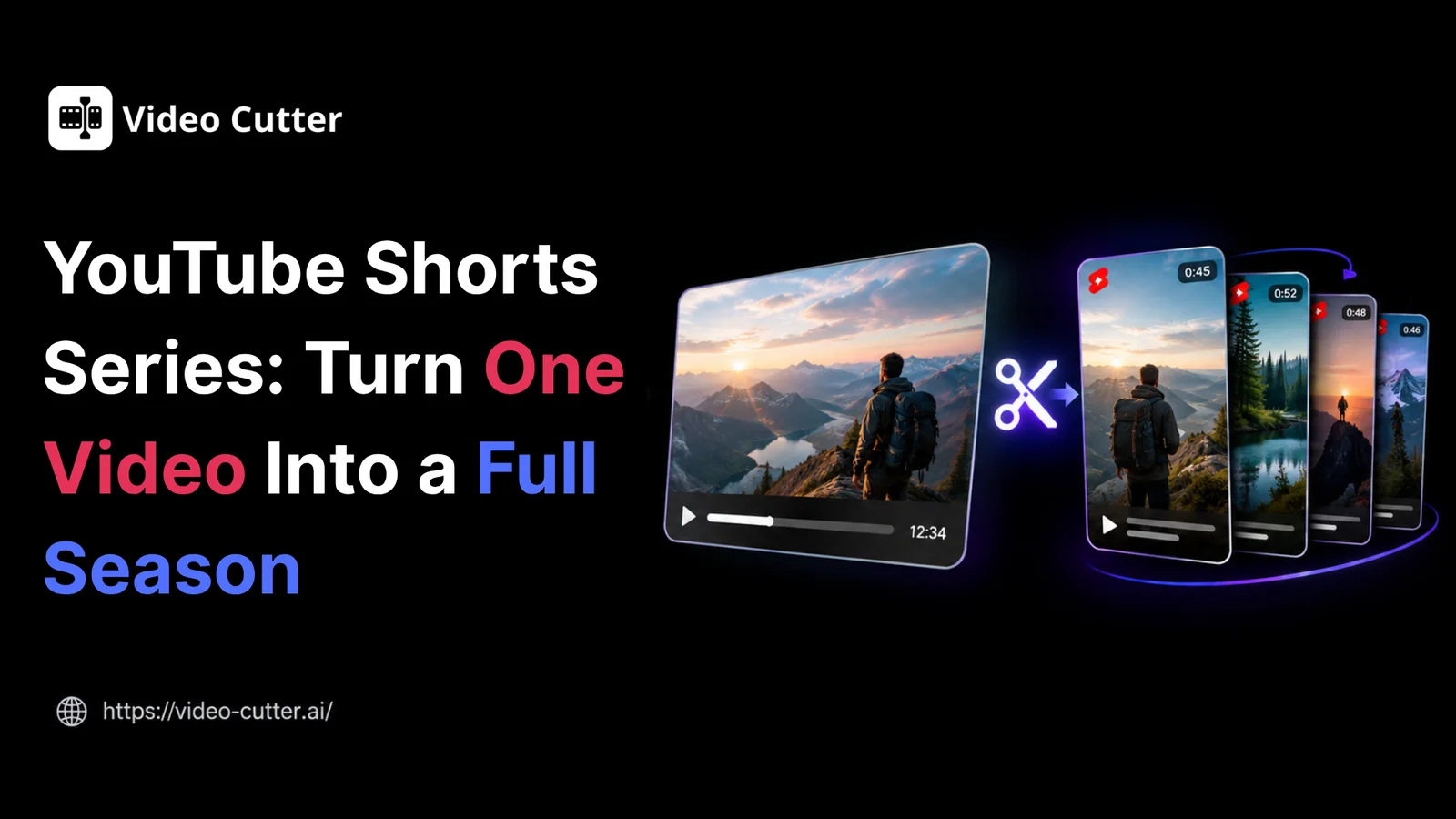
A viewer discovers episode four of your interview series. The guest’s answer makes them want to hear the rest—but finding the earlier episodes means searching your channel for “Part 1.” The clip earns their interest. The viewing journey loses it.
A YouTube Shorts series gives related clips a clearer path, grouping them into seasons and episodes. Announced on September 23, 2026, the feature lets creators package short videos as something viewers can follow.
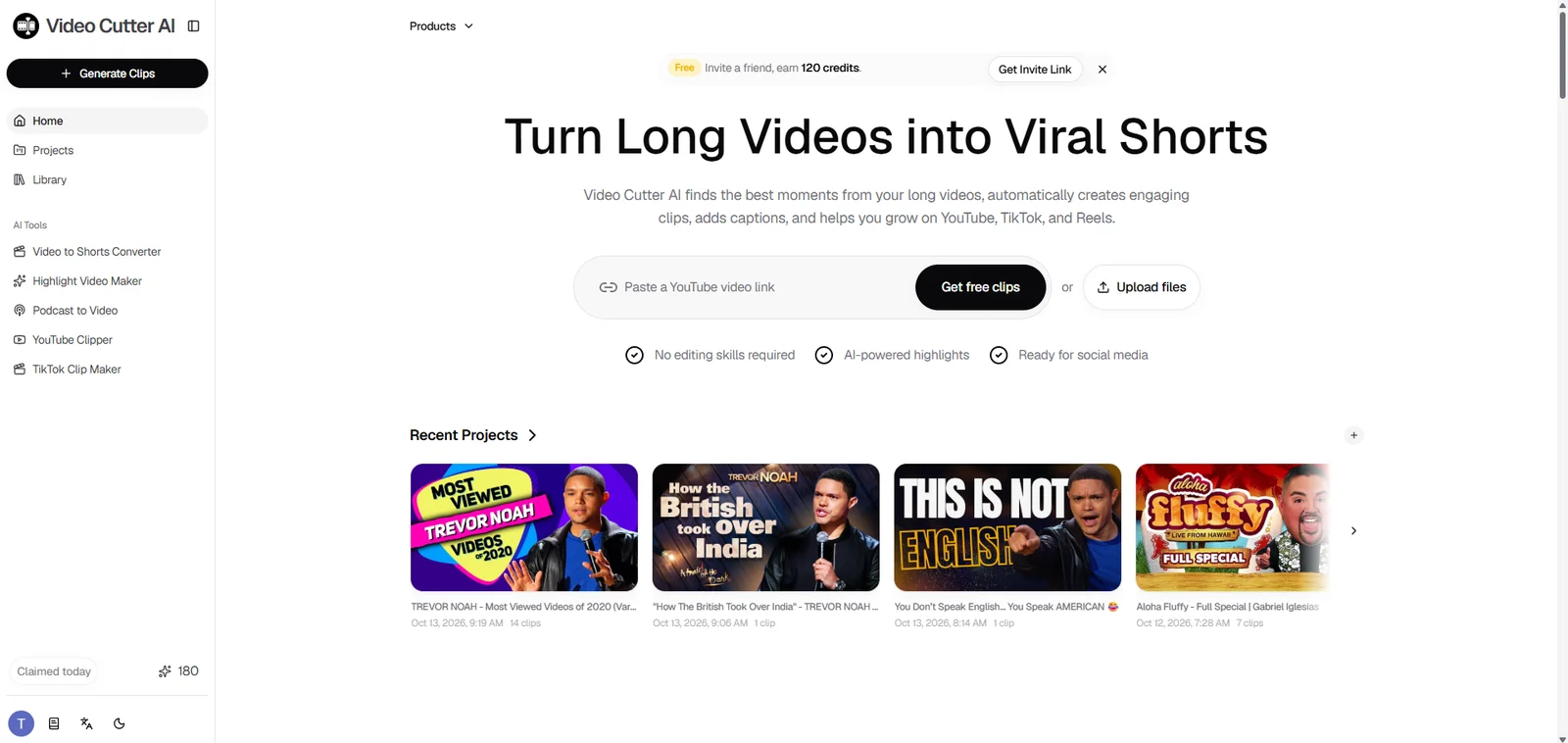
An existing podcast, interview, or webinar can supply the material for a season. Plan the episode ideas, prepare the clips, and organize them on YouTube. Video Cutter AI helps you generate candidate clips and download selected clips in bulk, so you can prepare several episodes together.
What Is a YouTube Shorts Series?
A YouTube Shorts series organizes related Shorts into an episodic show. Viewers who discover an episode can use Watch series to enter a dedicated series feed and move between episodes.
The connection between clips becomes part of the experience. A demonstration can unfold across several steps. An interview can supply a season exploring one person’s experience. Each episode offers its own payoff while giving interested viewers a relevant next video to watch.
How Series, Seasons, and Episodes Fit Together
These terms describe three levels of organization:
-
Series: The overall concept, such as “First-Time Founders.”
-
Season: A focused collection within that concept, such as one founder’s first business journey.
-
Episode: One Short exploring a specific moment, such as winning the first paying customer.
A season needs a promise viewers can understand. “How one founder built their first business” gives the episodes a shared purpose. “Highlights from our latest upload” describes the source but says little about what viewers will get.
YouTube Shorts Series vs. Playlists and Standalone Shorts
Choose the structure that fits the material.
| Format | When to Use It | Example |
|---|---|---|
| Standalone Short | A clip delivers one idea without needing a connection to other videos | A guest’s surprising answer |
| Regular playlist | Viewers need a convenient collection of related uploads | Your channel’s interview highlights |
| Shorts series | Episodes share a recognizable theme or progression | A founder’s journey from leaving a job to finding customers |
Sequential content benefits from an intentional viewing order. Independent tips can share a series identity while remaining useful in any order.
An unrelated joke, product announcement, and technical explanation may each make a good Short. They do not necessarily give viewers a reason to follow the same season.
How to Plan Your YouTube Shorts Series
Write the season’s purpose before generating clips. What should viewers understand, learn, or experience after watching it?
Use that purpose to guide selection. For a founder interview, prioritize decisions, setbacks, and turning points that develop the business story.
Choose a Season Theme and Episode Structure
Start with a simple audience promise:
“This season follows a first-time founder’s biggest decisions and the lessons behind them.”
Then choose an episode structure.
Sequential episodes build toward an outcome. A founder’s story might move from the decision to start through early mistakes, customer wins, and reflection.
Standalone episodes explore separate questions within one theme. Hiring advice, pricing lessons, and customer research can each work independently.
Give each episode a clear purpose. If three clips repeat the same recommendation, keep the strongest version and find another question worth answering.
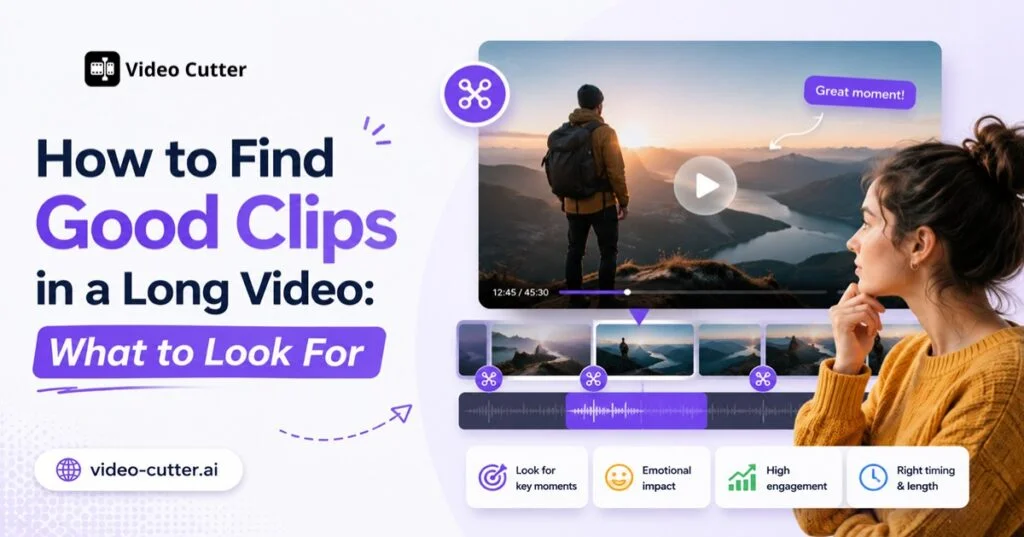
For help evaluating potential moments, see the guide to finding good clips in a long video. It covers context, natural boundaries, and complete takeaways.
Map Your Long Video Into Distinct Episodes
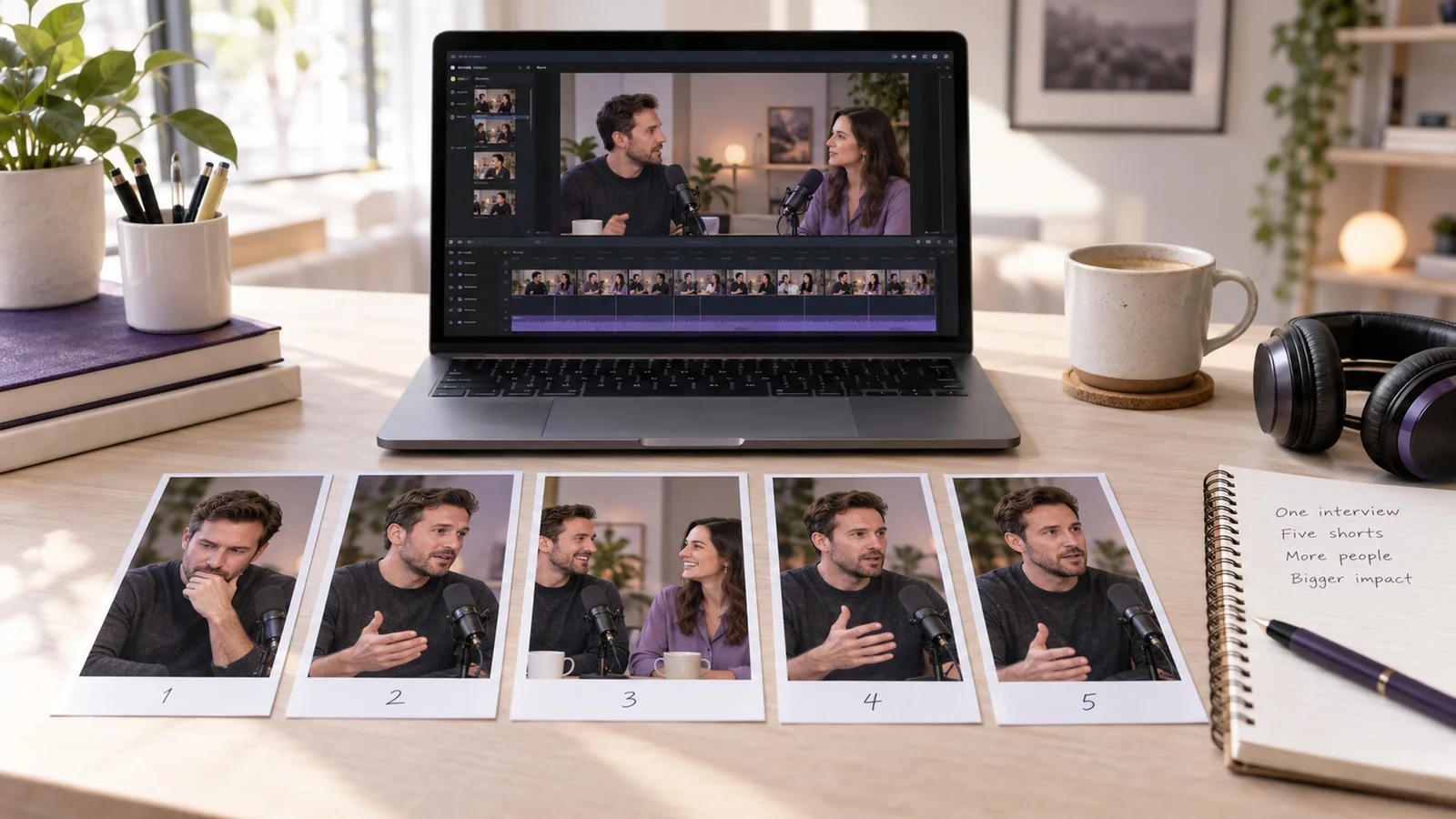
A founder interview can become a season about starting a first business. Select moments that move through the guest’s experience—from leaving a job to finding customers and learning what to do differently.
The plan below is illustrative. Match each episode and title to what the guest actually says.
| Episode | Moment to Select | Example Working Title |
|---|---|---|
| 1 | Why the guest left a stable job | Why I Left My Job to Start a Business |
| 2 | An early hiring mistake and its consequences | The First Hire I Got Wrong |
| 3 | How the business won its first paying customer | How We Landed Our First Customer |
| 4 | A difficult decision that changed the business | The Decision That Turned Things Around |
| 5 | Advice based on the guest’s experience | What I Would Do Differently Today |
Arrange the clips around the story rather than automatically following the interview’s original order. A guest may explain their starting point halfway through the conversation; that passage could become the opening episode.
Keep the question or a brief setup when an answer needs context, and let each episode finish its main point. Record source timestamps beside the plan to locate the selected moments and avoid overlapping passages.
How to Create Series Episodes from One Long Video
Use your episode plan to guide production. For the full upload-to-export process, see the guide to turning long videos into Shorts with AI. The steps below focus on preparing a batch that works as a season.
Generate Candidate Clips from Your Source Video
Start with footage you own or have permission to repurpose. Podcasts, interviews, webinars, and recorded lessons often contain several potential episodes.
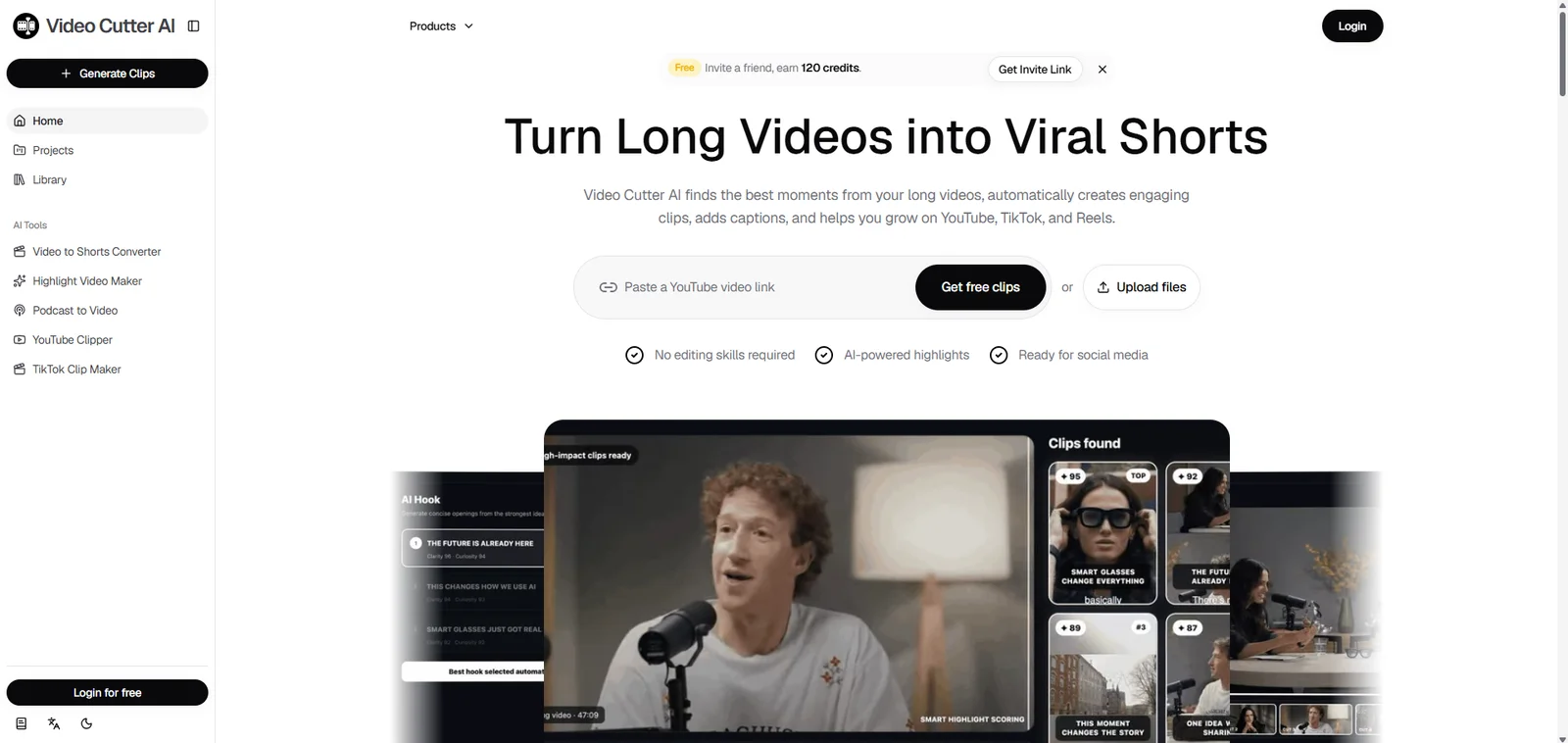
If your recording is already on YouTube, YouTube Clipper lets you begin with a supported video link. You can also upload a local file.
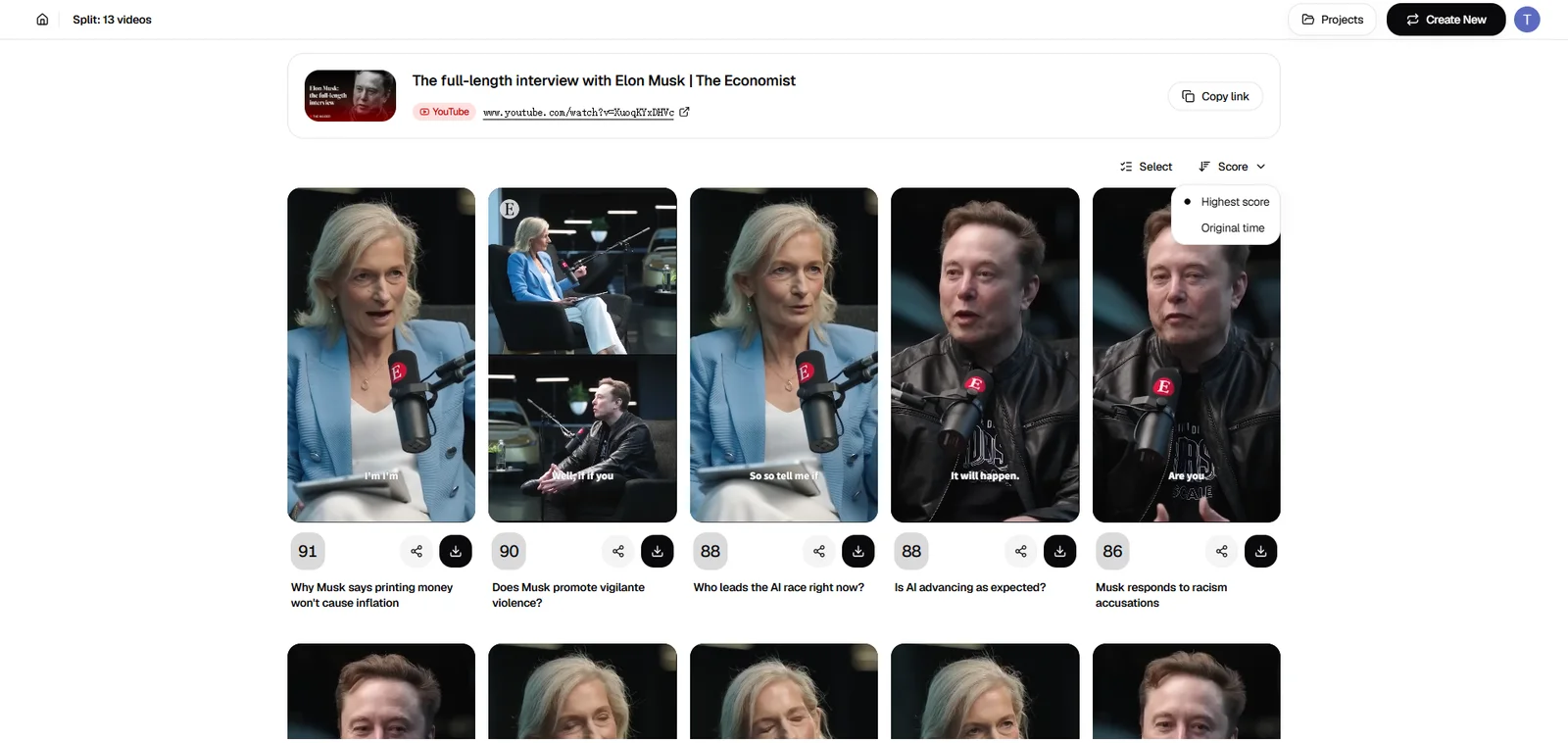
Video Cutter AI analyzes the recording and generates candidate clips for review. Match the suggestions to your episode plan, noting which topics already have a strong answer and which need a better segment.
A high-scoring clip may attract attention but fall outside the season’s theme. Save it for a standalone post rather than forcing it into the sequence.
Select and Review Clips That Fit Your Season
Choose clips that add a new answer, story, or step. Then preview every episode from beginning to end.
Check four things:
-
Opening: Can a new viewer immediately understand the subject?
-
Ending: Does the speaker finish the answer or deliver the story’s payoff?
-
Captions: Are names, numbers, and technical terms correct?
-
Framing: Do faces, slides, products, and demonstrations remain visible?
A clip beginning with “That’s why it failed” needs enough context to identify what failed. A clip ending before the guest explains the result needs a later endpoint.
Review framing throughout the episode, especially when speakers change or the source includes a screen recording. The YouTube Shorts size guide covers dimensions and format considerations.
Finally, watch the selected clips in their planned order. Remove repeated explanations and check for missing transitions. Each episode should stand on its own, while the full sequence should deepen the viewer’s understanding.
Download Multiple Clips in Bulk
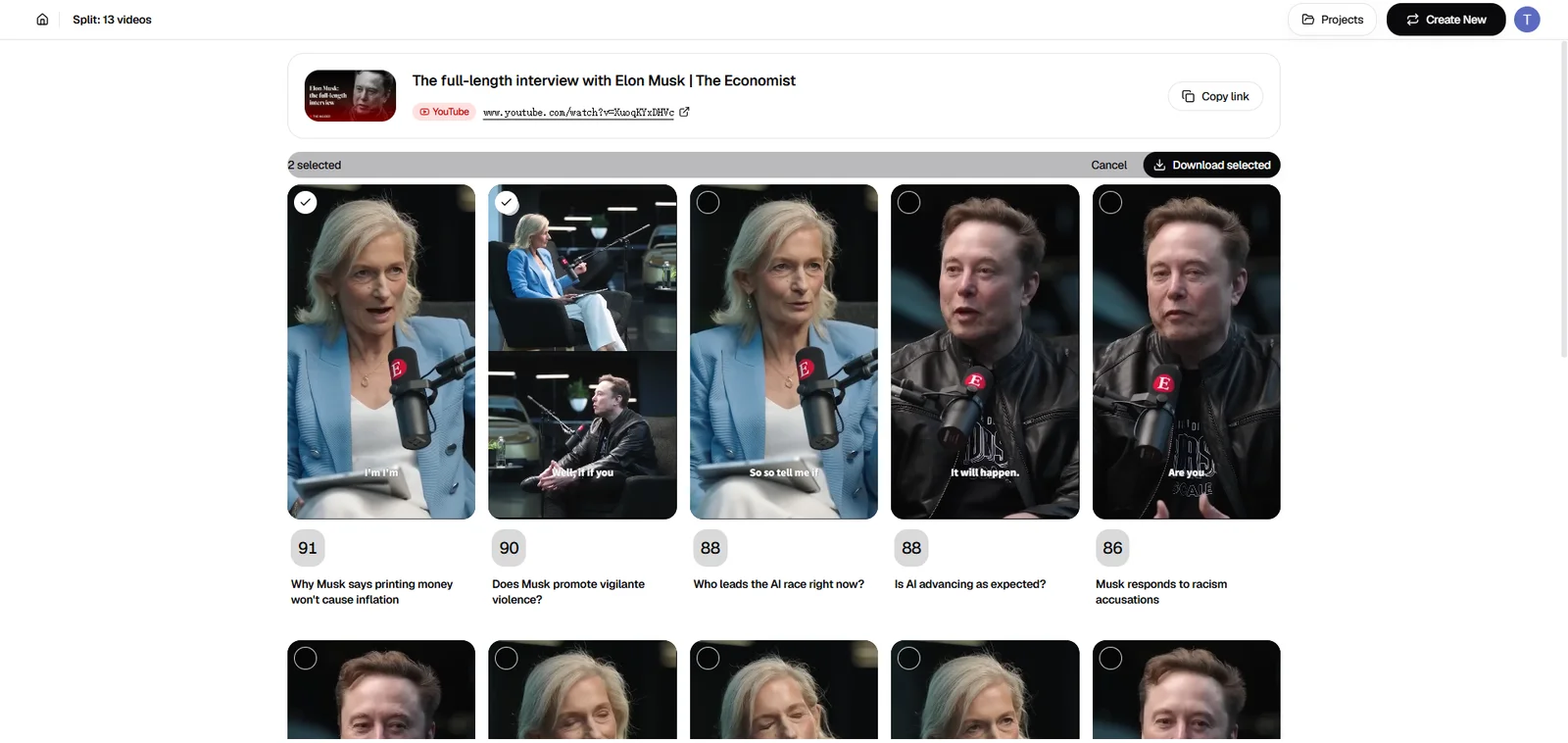
Select the finished candidates in Video Cutter AI and click Download selected. You can download the chosen clips in one batch instead of repeating the download action for each episode.
Give the files descriptive names before uploading:
-
first-time-founder-s01e01-leaving-my-job.mp4 -
first-time-founder-s01e02-first-hiring-mistake.mp4 -
first-time-founder-s01e03-first-customer.mp4
Track the filename, episode title, intended order, and publishing status in your planning sheet. Use this sheet to check the downloaded files against your season plan before uploading.
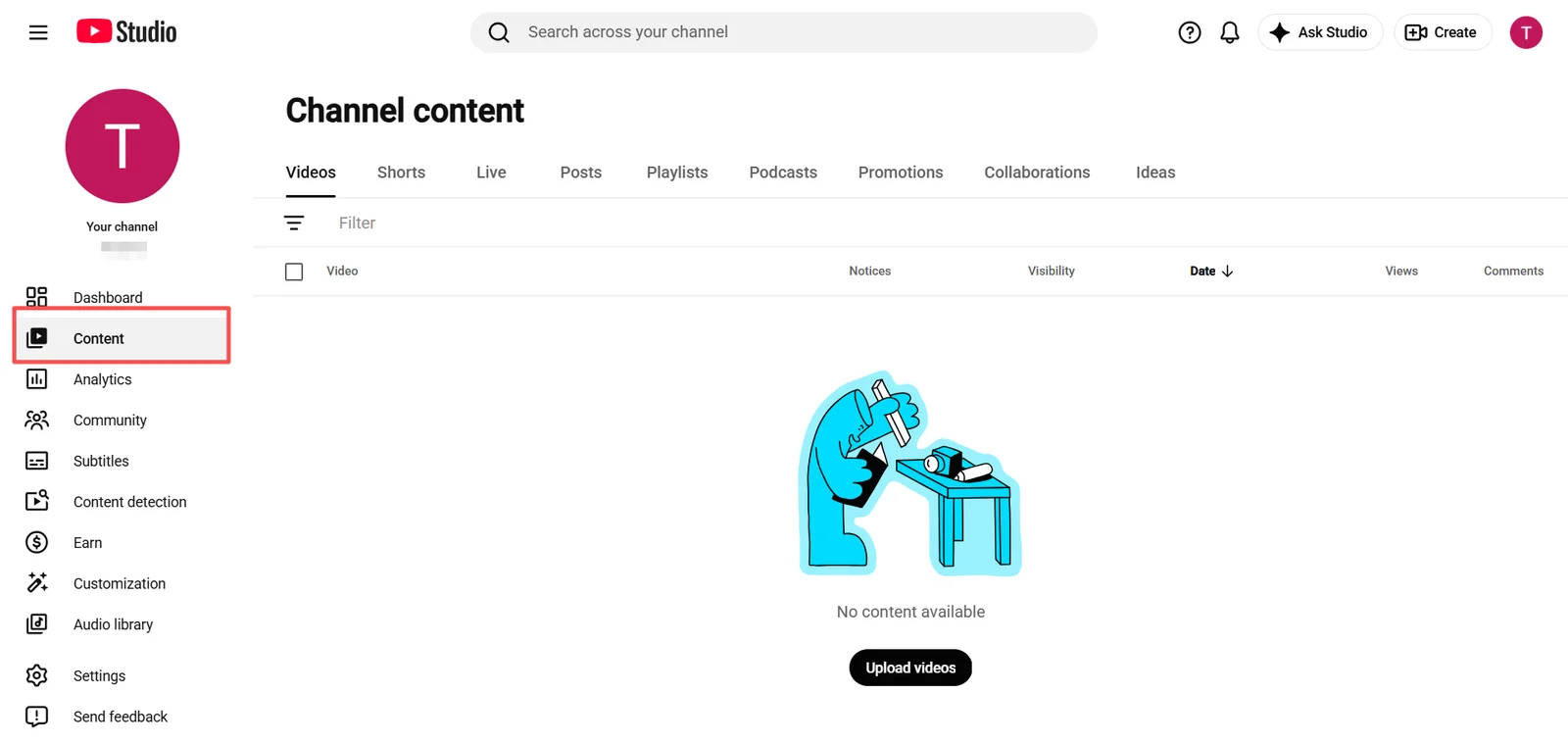
Bulk downloading prepares the files; season organization and publishing happen in YouTube Studio.
How to Set Up a YouTube Shorts Series in YouTube Studio
Once the clips are ready, organize them on YouTube. Its English interface uses Show for the structure that holds seasons and episodes.
Check Feature Access and Video Requirements
Check YouTube Studio on desktop for the controls below. YouTube announced a phased rollout. Confirm that the feature is available on your channel before setting up the series.
The documented setup requires a Shorts-only playlist containing portrait or square videos, each no longer than three minutes. Keep the long-form source outside that collection.
Organize Your Shorts Into Seasons and Episodes
Choose Create → New show, or open Content → Playlists → Options → Add show features for an existing playlist.
Use Content → Shows → Add content to add episodes and assign a season. Choose Serial for sequential viewing or Non-serial for independent episodes. Playlist conversions default to non-serial.
Review numbering in the show’s Episodes view. Manual playlist order or publication dates determine the initial sequence; season and episode numbers can be edited there.
Write Clear Episode Titles and Design Matching Thumbnails
Lead each title with its specific value. “How We Landed Our First Customer” tells viewers more than “Founder Interview: Part 3.”
Use matching thumbnail layouts and readable episode labels, with an image that reflects each episode’s topic. Consistency connects the season; the topic helps viewers choose what to watch.
How to Measure Your YouTube Shorts Series
Evaluate whether each episode earns attention and delivers its promised answer. Then look for patterns across the season.
Compare Engaged Views and Audience Retention
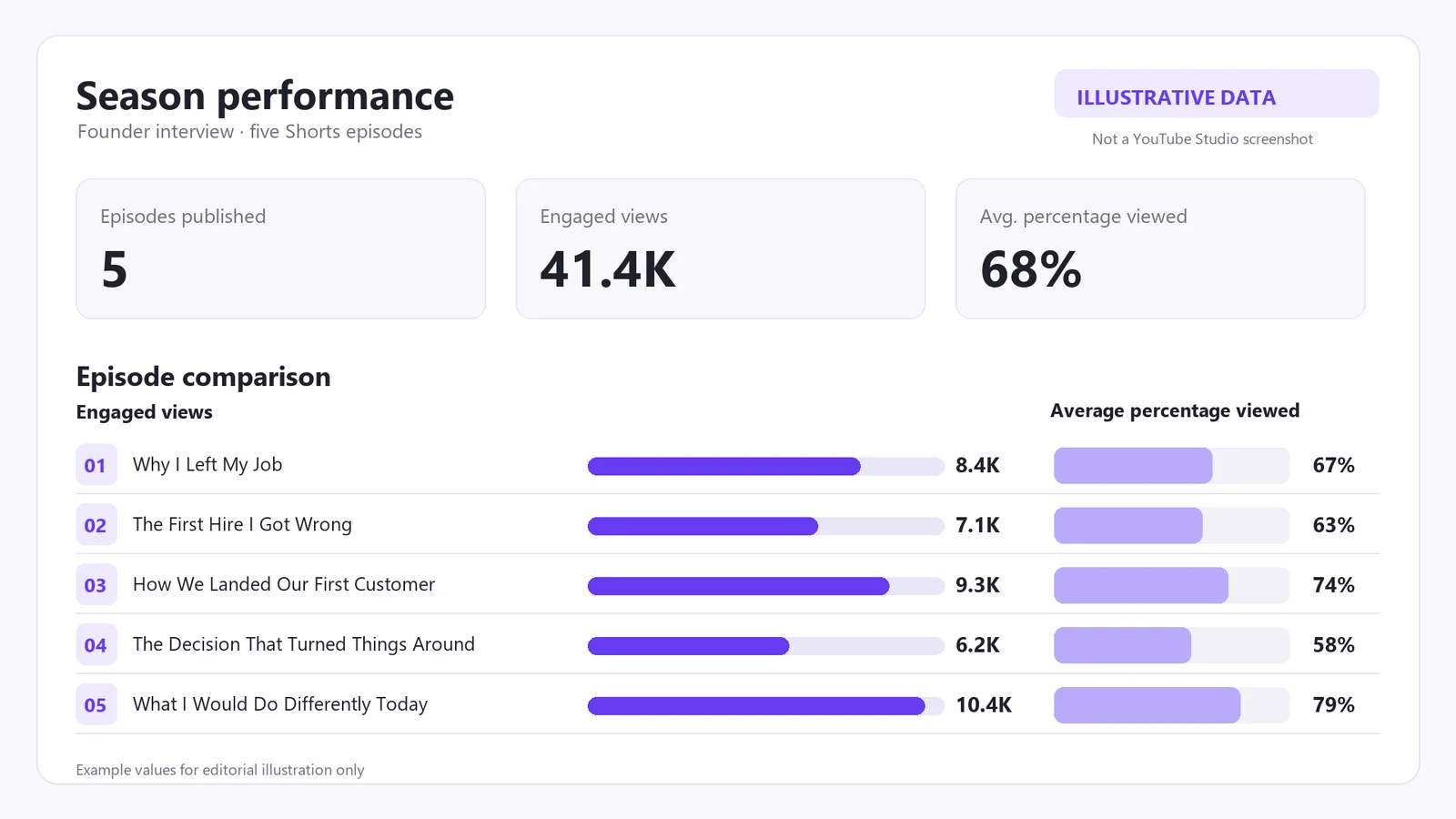
Shorts views count starts and replays, while engaged views track viewers who continued watching beyond the opening seconds. Compare engaged views alongside audience retention, average view duration, and average percentage viewed.
Compare episodes with similar topics and lengths, and give them a comparable amount of time after publication. A brief answer and a longer story ask for different amounts of attention.
| Performance Pattern | What to Review |
|---|---|
| Viewers leave near the opening | Make the first sentence’s subject and value clearer |
| Attention drops during the explanation | Remove repeated setup or introduce the example earlier |
| One topic attracts stronger engagement | Identify the approach that worked: the question, story, or demonstration |
| Later episodes receive fewer views | Review titles, distribution, and missing context |
Episode view counts alone cannot tell you whether the same viewers watched the whole season. A drop between episodes calls for a closer look at the titles, openings, and context.
Use Your Results to Improve the Next Season
Choose one recurring weakness to address.
If viewers leave before the example, introduce it earlier. If comments reveal confusion about a term, explain it more clearly. If a personal story generates thoughtful responses, explore related experiences in the next interview.
Keep a short record of the change and its purpose. Adjusting one element at a time makes the results easier to interpret.
Use these observations when planning the next long video. Clear questions and complete answers make future recordings easier to develop into useful episodes.
Frequently Asked Questions About YouTube Shorts Series
Can One Shorts Series Include Clips from Multiple Long Videos?
Yes. Build around a shared theme using material from several recordings. Check consistency in terminology, audio levels, framing, and advice. Episodes recorded on different days should still feel like parts of the same project.
How Many Episodes Should a Shorts Season Have?
There is no ideal editorial count. Start with three to five episodes as a manageable planning target, then adjust to the material. Three complete episodes can make a stronger season than ten overlapping clips. Add an episode when it contributes a new answer, story, or practical step.
Should I Publish All Episodes at Once or Release Them Gradually?
Publish the complete season when immediate continuation matters. Release episodes gradually when you want time to review responses between uploads. Neither approach guarantees better reach. Choose a schedule you can maintain and prepare the next episode before promising it.
Do YouTube Shorts Series Have Different Monetization Rules?
No separate monetization program has been announced for Shorts series. Episodes remain subject to the applicable Shorts monetization rules, including channel eligibility and content requirements. Organizing videos into a season does not automatically qualify them for revenue sharing or increase their earnings.
Can I Also Publish My Episodes on TikTok and Instagram Reels?
Yes, provided you have the rights needed for each platform. Adapt titles, captions, music, and references to the next episode. The video files can be reused, but YouTube’s series navigation does not carry over with them.
Start Your First YouTube Shorts Series
Choose one recording and map its useful moments into episodes. Generate candidates with Video Cutter AI, review the clips, and use Download selected to prepare your batch. Then organize the season in YouTube Studio.
Start with a focused set you can finish and publish. Check the episode order, prepare the titles, and make the season available to viewers. Use their responses to shape what you create next.