
Turning a long YouTube video into Shorts sounds simple until the editing starts. First, you have to find moments that make sense outside the original video. Then you need to trim each section, adapt horizontal footage to a vertical screen, add captions, and make sure the result opens strongly enough to hold attention.
ClipGOAT brings many of these steps into one AI-assisted workflow. It analyzes YouTube videos, identifies potential highlights, generates short clips, adds captions, reframes footage, and helps creators prepare content for YouTube Shorts, TikTok, and Instagram Reels.
This ClipGOAT review examines how the platform works in 2026, which features provide the most practical value, what its plans include, and who will benefit most from its approach. It also compares ClipGOAT with a more focused video-cutting workflow so creators can choose according to their content, source files, and publishing needs.
Quick Verdict: Who Is ClipGOAT Best For?
ClipGOAT is a practical option for creators who regularly publish long-form videos on YouTube and want to turn them into multiple pieces of short-form content.
Its main advantage is the range of work it can handle. Instead of using separate tools to find highlights, create captions, reframe videos, generate titles, and schedule posts, creators can complete much of the process in one platform.
ClipGOAT is particularly relevant for:
-
YouTubers repurposing existing uploads
-
Podcasters creating clips from interviews
-
Streamers turning recordings into highlights
-
Social media managers producing content in batches
-
Faceless creators working with Reddit posts or written stories
-
Beginners who want an automated starting point
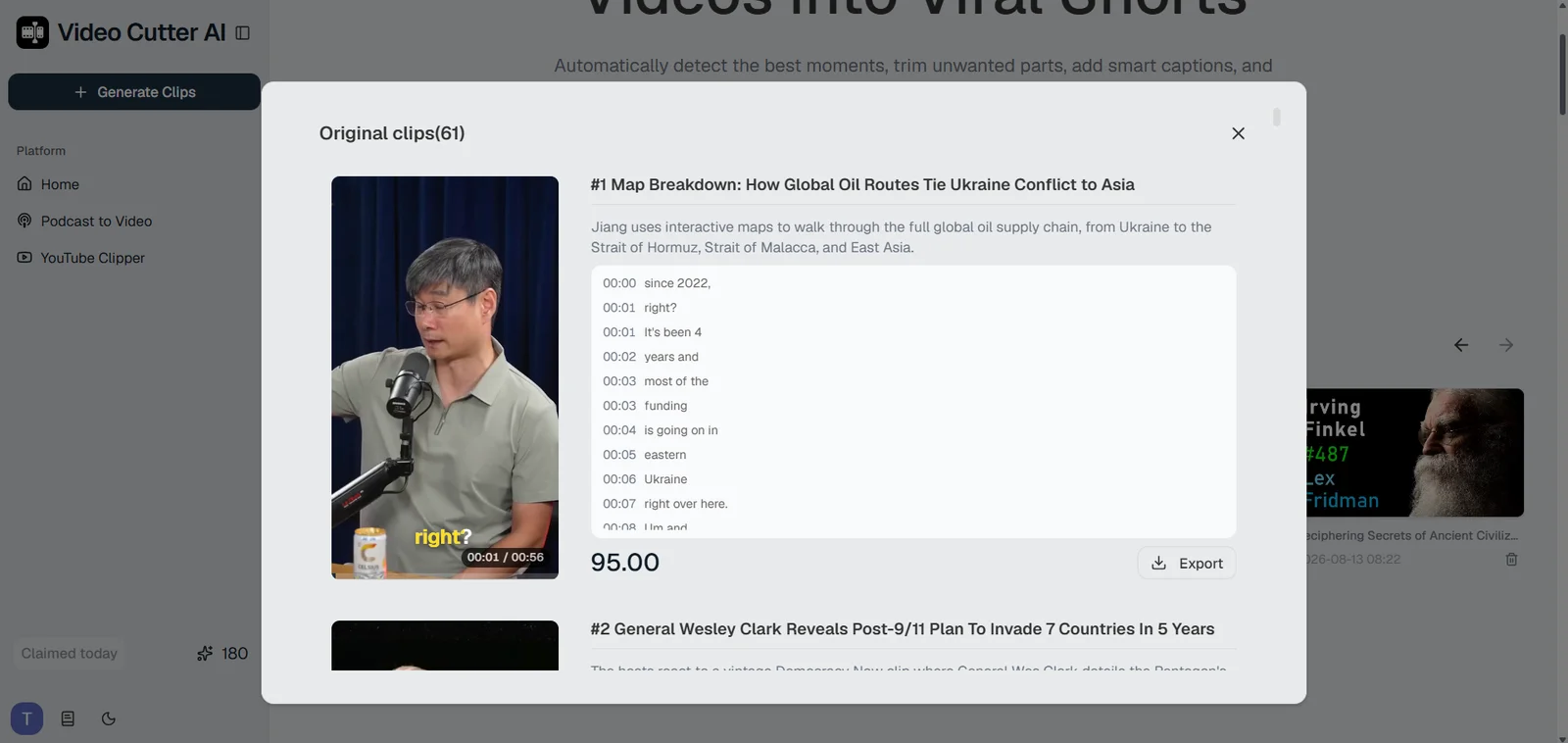
Podcasters may find this workflow especially useful when a long conversation contains several standalone stories, opinions, or practical answers. ClipGOAT helps surface these moments from videos already published on YouTube and prepare them for social distribution. For creators who also work with local recordings or need more control over the output, Video Cutter AI offers a free online workflow with no sign-up required. Its Podcast to Video feature supports video uploads and YouTube links, with options for processing range, clip length, aspect ratio, and caption style.
The best choice depends on where the workflow begins. ClipGOAT is well suited to creators who want to move from a YouTube link to generated clips, creative assets, and scheduled posts within one platform. Video Cutter AI is a strong fit for creators who prioritize flexible video input, configurable clip generation, and greater control over how long-form content is repurposed.
Both products aim to reduce repetitive editing. ClipGOAT approaches the task as a broader creation and publishing system, while Video Cutter AI focuses on turning long videos into adaptable short-form clips for different platforms.
What Is ClipGOAT and How Does It Work?
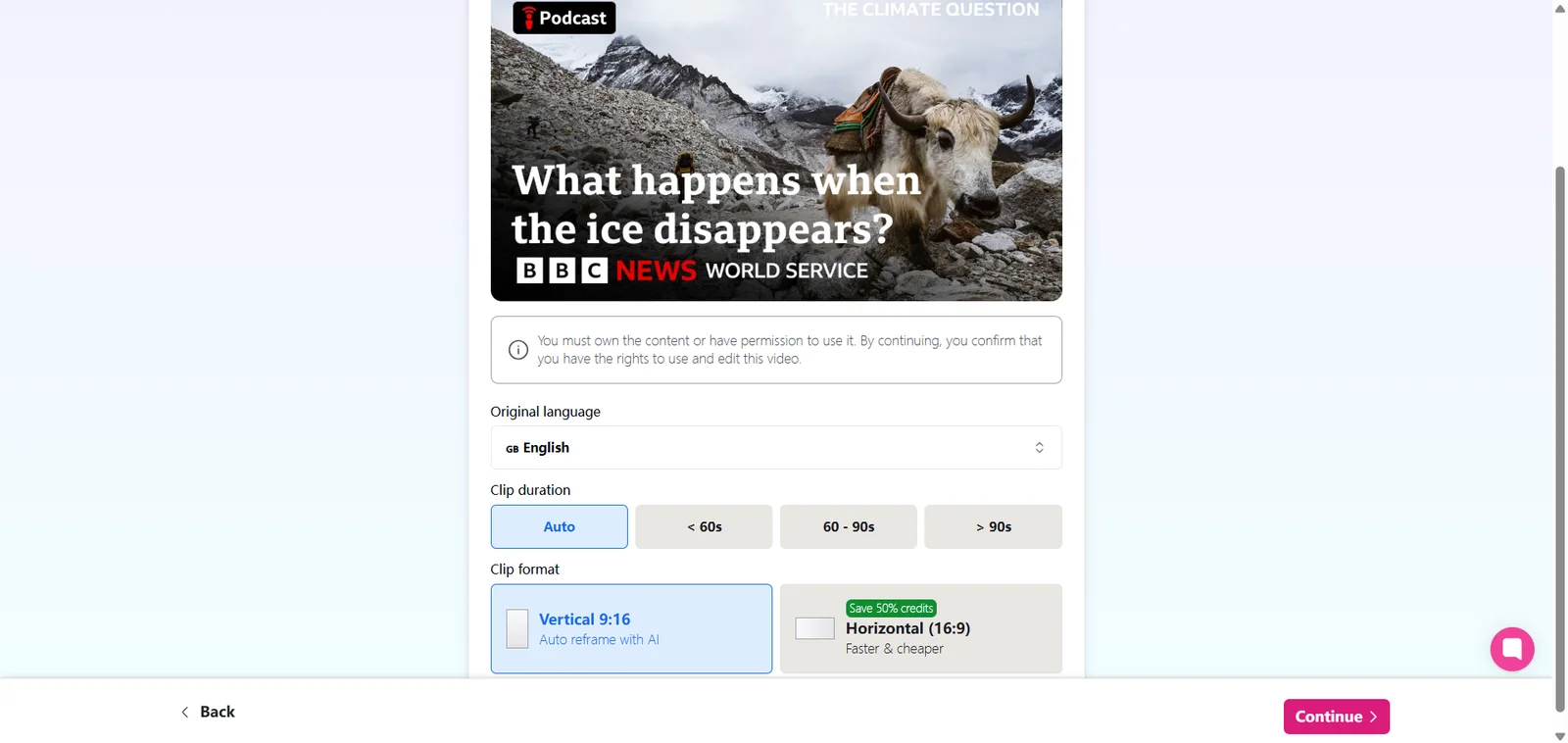
ClipGOAT converts long YouTube videos into shorter clips for YouTube Shorts, TikTok, and Instagram Reels. The creator provides a YouTube link, selects the preferred settings, and lets the platform analyze the source for moments that may work as independent videos.
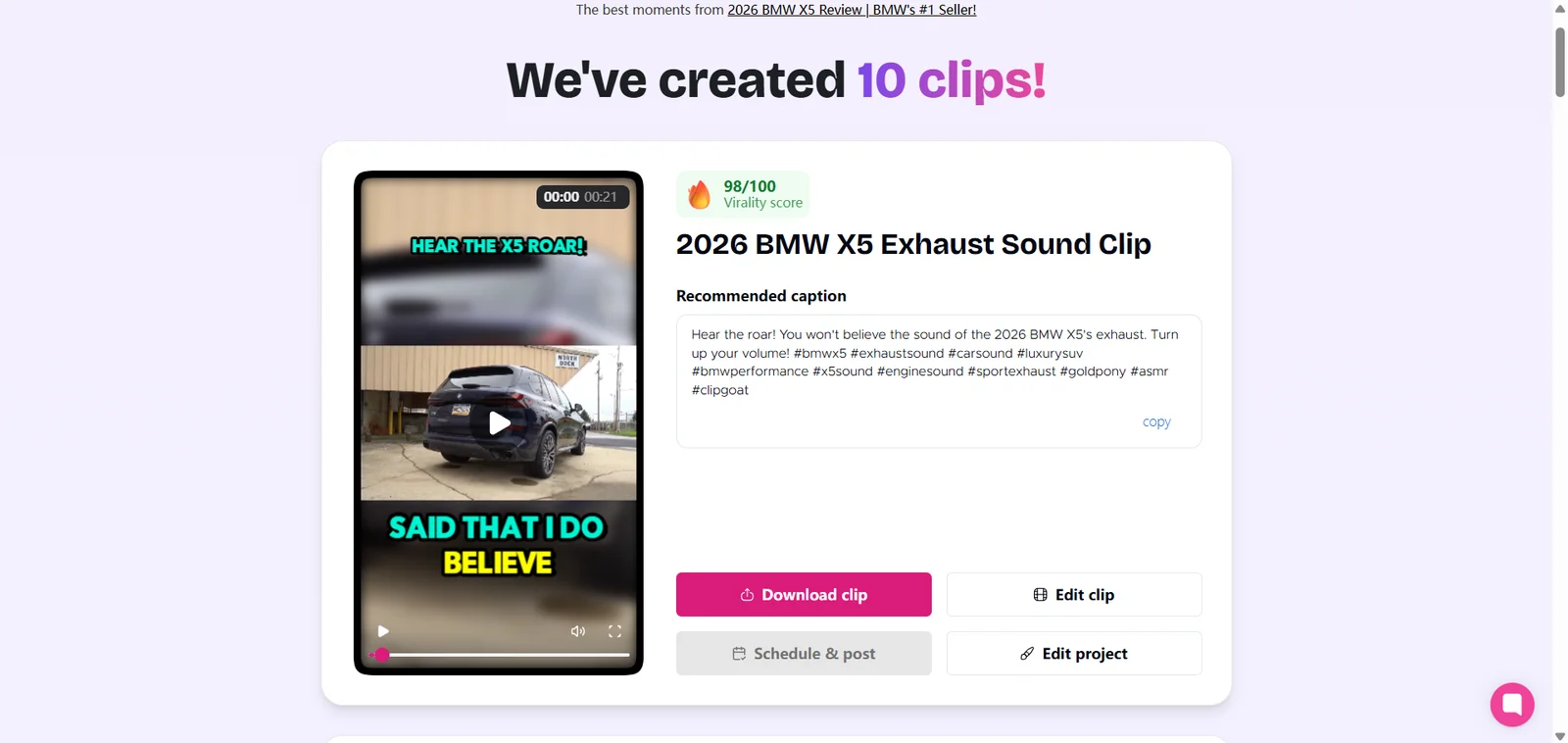
The generated clips can include captions, vertical framing, titles, hooks, hashtags, and a Virality Score. Creators can review the results, customize selected clips, and then download or schedule the finished content.
The platform also supports workflows that do not begin with existing footage. ClipGOAT includes tools for creating videos from Reddit posts and written stories, along with UGC hooks, simulated text-message videos, artificial voiceovers, and AI-generated media.
This broader toolkit means different users may value ClipGOAT for different reasons. A YouTuber may use it primarily to repurpose existing uploads, while a faceless channel may be more interested in turning text into narrated videos. A social media manager may place greater value on scheduling than on story generation.
The common theme is automation. ClipGOAT aims to reduce the number of manual steps between a source idea and a short-form video that is ready for review and publication.
How to Use ClipGOAT for YouTube Shorts
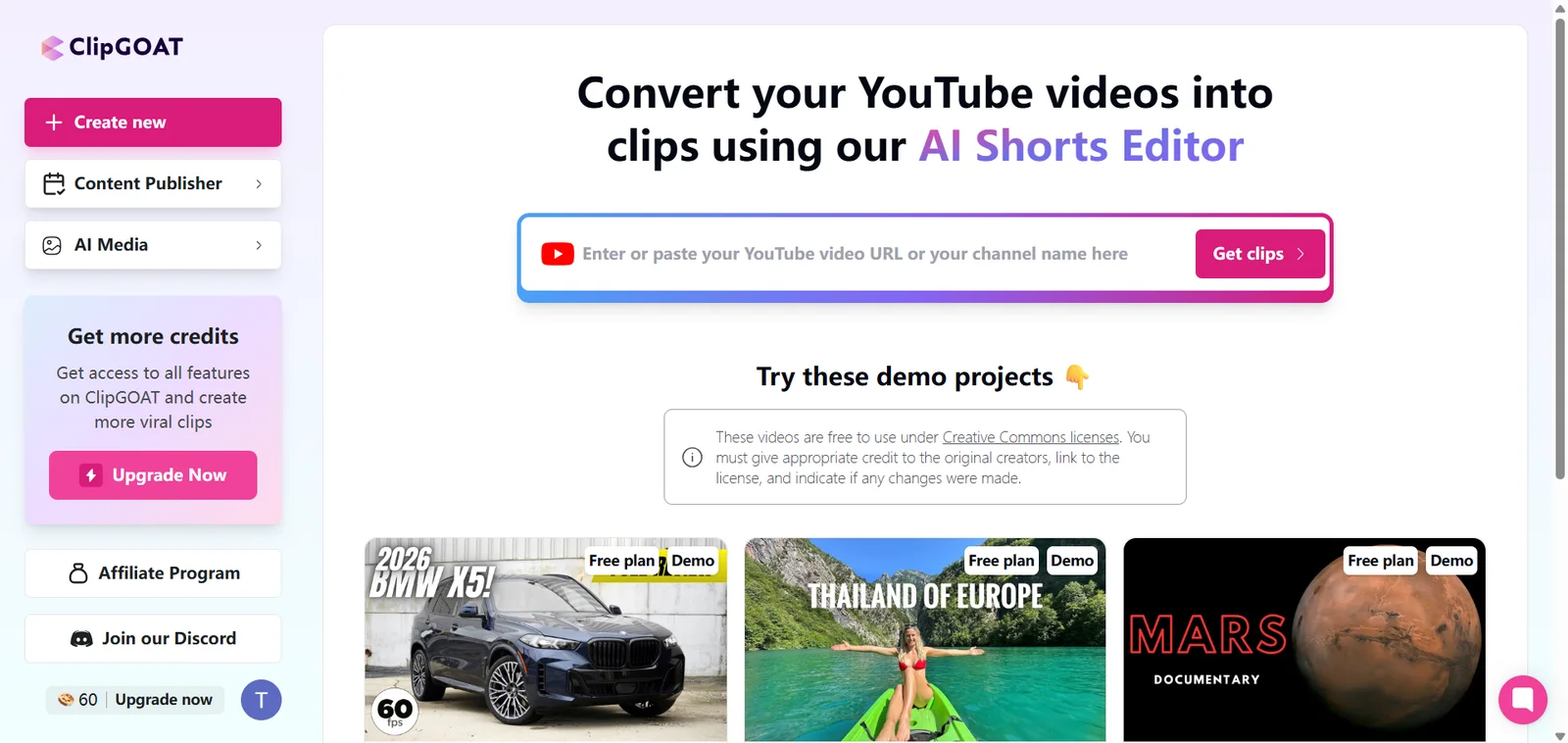
ClipGOAT is designed around a YouTube-first workflow. Start by copying the URL of the video you want to repurpose and adding it to the platform. Before using any content, make sure you own the video or have permission to repurpose it.
ClipGOAT analyzes the source and identifies sections that may work as short-form content, such as concise explanations, emotional moments, direct answers, strong opinions, practical tips, or self-contained stories.
Once the candidates are ready, review each one as a complete video. A useful Short should focus on one clear idea, provide enough context for a new viewer, and end naturally rather than stopping halfway through a thought.
Before exporting, check the captions and vertical framing. Names, numbers, branded terms, specialist vocabulary, accents, and overlapping dialogue may need closer attention. For videos with multiple speakers, screen demonstrations, or important objects near the edge, watch the full clip to make sure the relevant visual information remains visible.
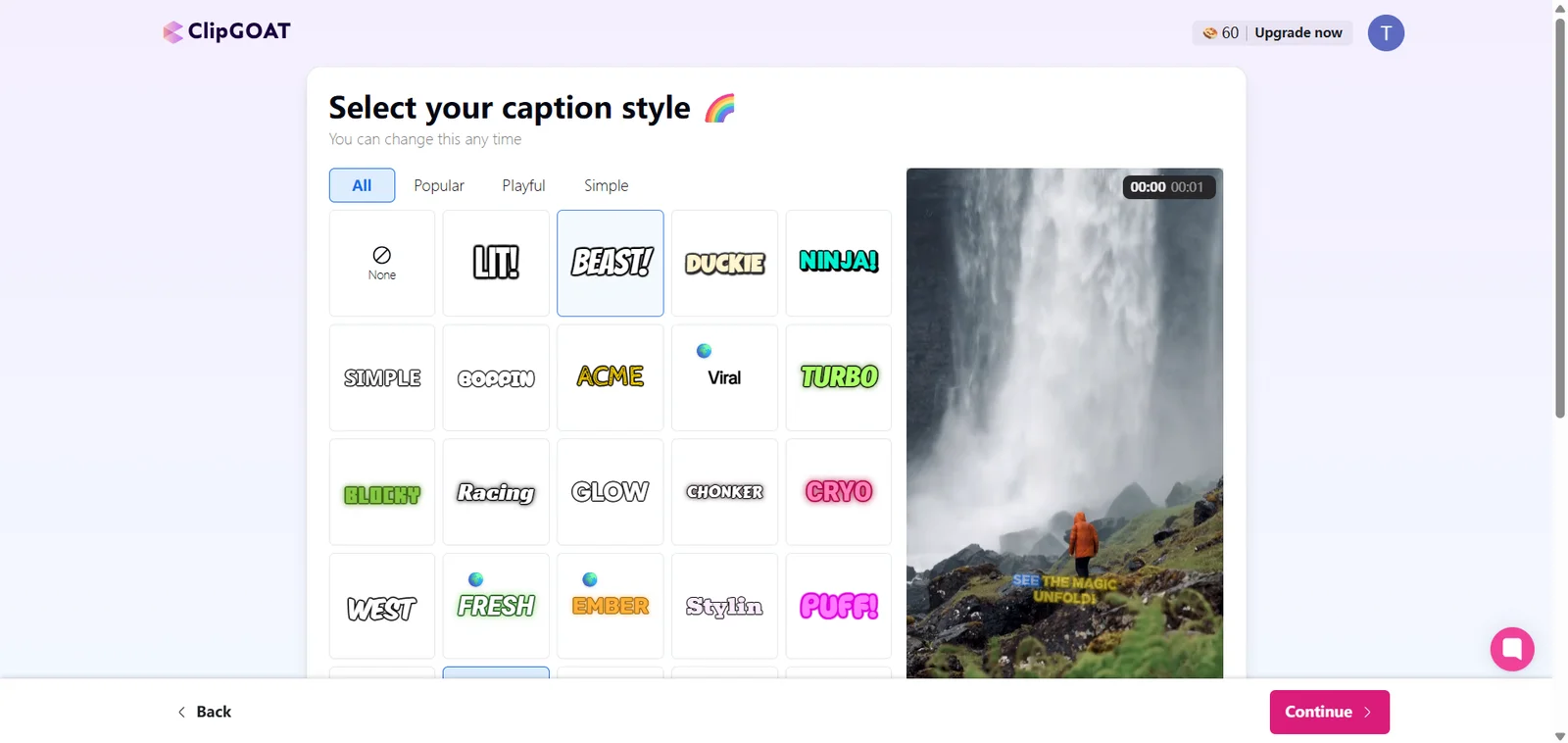
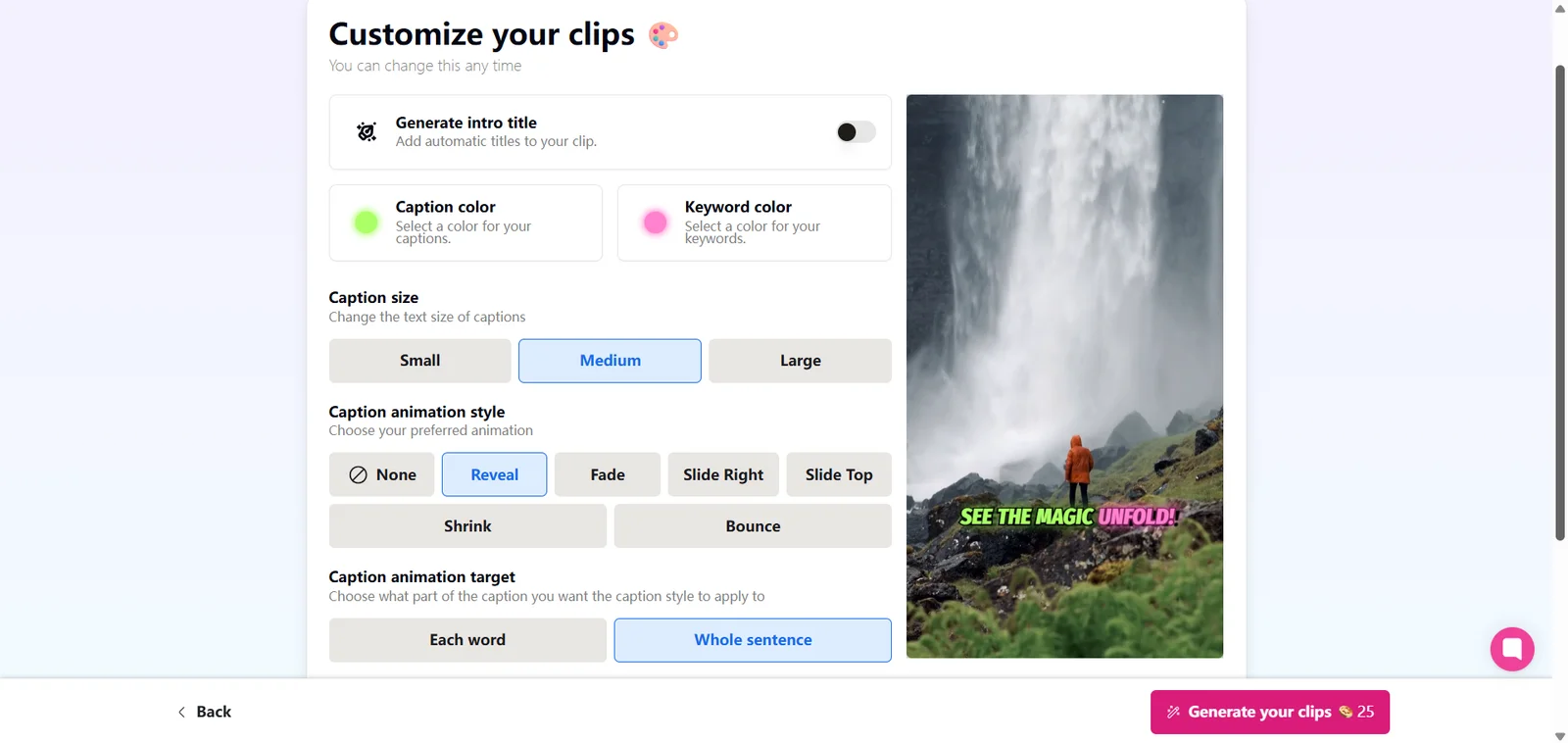
ClipGOAT also provides caption styles, text, zoom effects, icons, and emojis. These elements can help a clip feel more native to social media when they support the content. Clean captions may suit educational and professional videos, while entertainment clips can accommodate a more animated style.
Finished clips can be downloaded or scheduled for publication. Built-in scheduling is useful when one source video produces enough content for several days of YouTube Shorts, TikTok posts, or Instagram Reels.
This YouTube-first workflow is convenient for content that is already online. When the source is still stored as a local recording, Video Cutter AI provides another way into the same long-to-short workflow. Its YouTube Clipper accepts both YouTube URLs and uploaded video files, identifies potential highlights with whats generated them, and lets creators review the timing, captions, and format before exporting.
ClipGOAT Features That Matter Most
ClipGOAT includes a wide range of functions, but four areas have the greatest effect on the everyday workflow.
AI Clipping and Virality Scoring
AI clipping is the foundation of ClipGOAT. The platform examines a long video and identifies sections that may work as individual posts. This can reduce the time spent replaying a podcast, interview, tutorial, or commentary video while manually recording timestamps.
Each generated clip can receive an AI Virality Score. ClipGOAT describes this score as an assessment of factors such as clipping precision, face detection, hook strength, titles, hashtags, engagement potential, and relevance.
The score is useful for prioritization. If the platform generates many candidates, creators can begin by reviewing those with the strongest scores instead of treating every result equally.
However, a Virality Score should be used as a decision aid rather than a prediction of views. A clip’s actual performance also depends on the topic, audience, posting time, channel history, title, opening, and how well the content fulfills its initial promise.
Captions, Reframing, and Creative Elements
Automatic captions remove a repetitive part of short-form editing and make videos easier to understand when viewers watch without sound. ClipGOAT also reframes horizontal source footage for vertical platforms, helping creators reuse standard YouTube videos as mobile-first content.
The platform can generate hooks, titles, and hashtags for each clip. These suggestions give creators a starting point when producing several posts from the same source, although the final wording should still match the video and the channel’s voice.
Visual options include zoom effects, icons, emojis, text overlays, and caption customization. These tools can help direct attention and add energy, particularly in entertainment and creator-led content.
The right amount of visual styling depends on the audience. Effects should support the speaker’s point, not make the clip harder to follow. Clear captions and accurate framing generally matter more than adding movement to every sentence.
Reddit, Story, and AI Media Tools
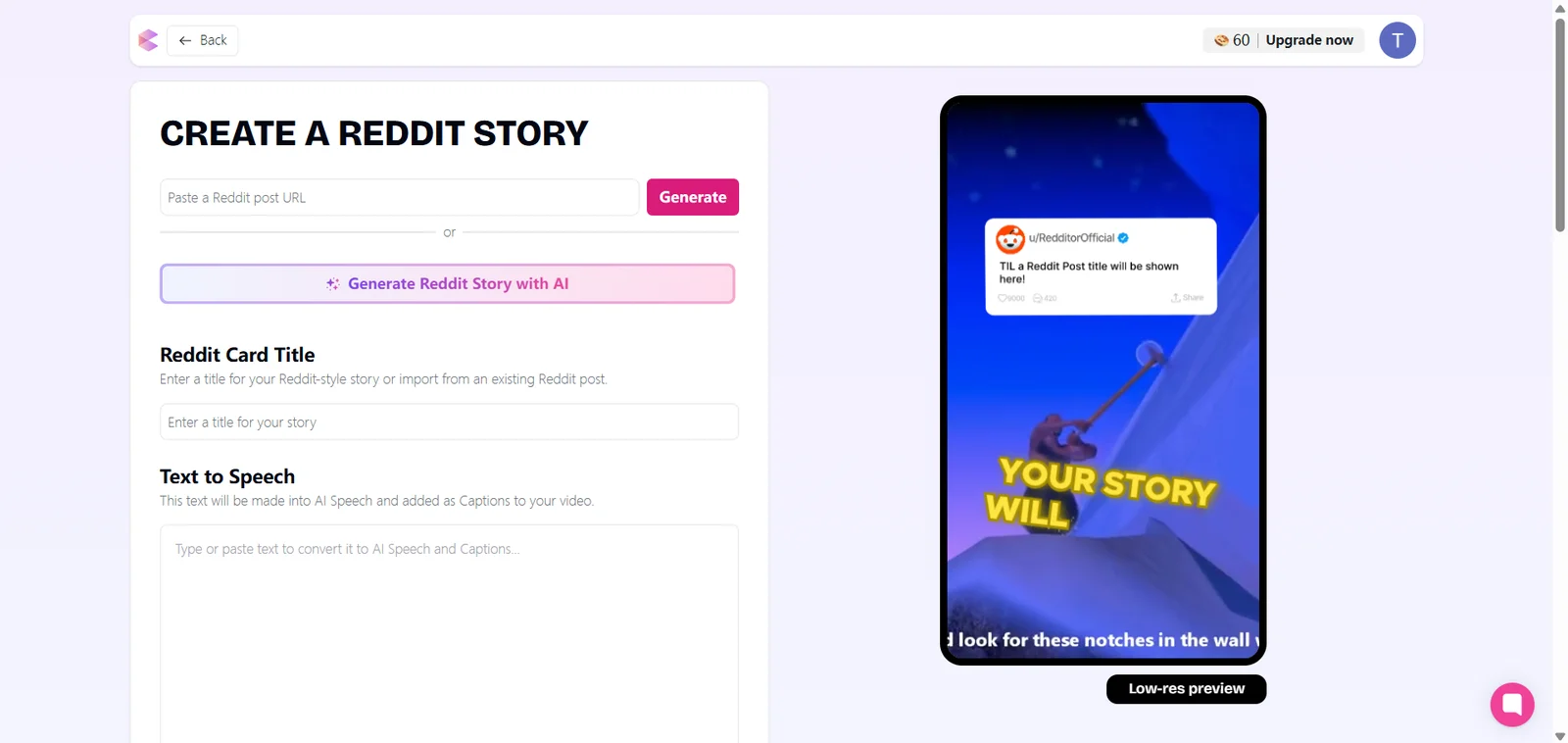
ClipGOAT extends beyond cutting long videos. Its Reddit-to-video tool can turn a post into a narrated short with captions and a selected background. The story video workflow begins with written text and converts it into video content using artificial voices and visual material.
The platform also includes UGC hook formats, fake text-message videos, and AI media generation. These features make ClipGOAT relevant to faceless channels that need repeatable content formats without recording new footage for every post.
This is one of the clearest differences between ClipGOAT and a conventional video editor. It can support both repurposing and content generation, giving experimental creators several ways to begin a short-form project.
Scheduling and Social Publishing
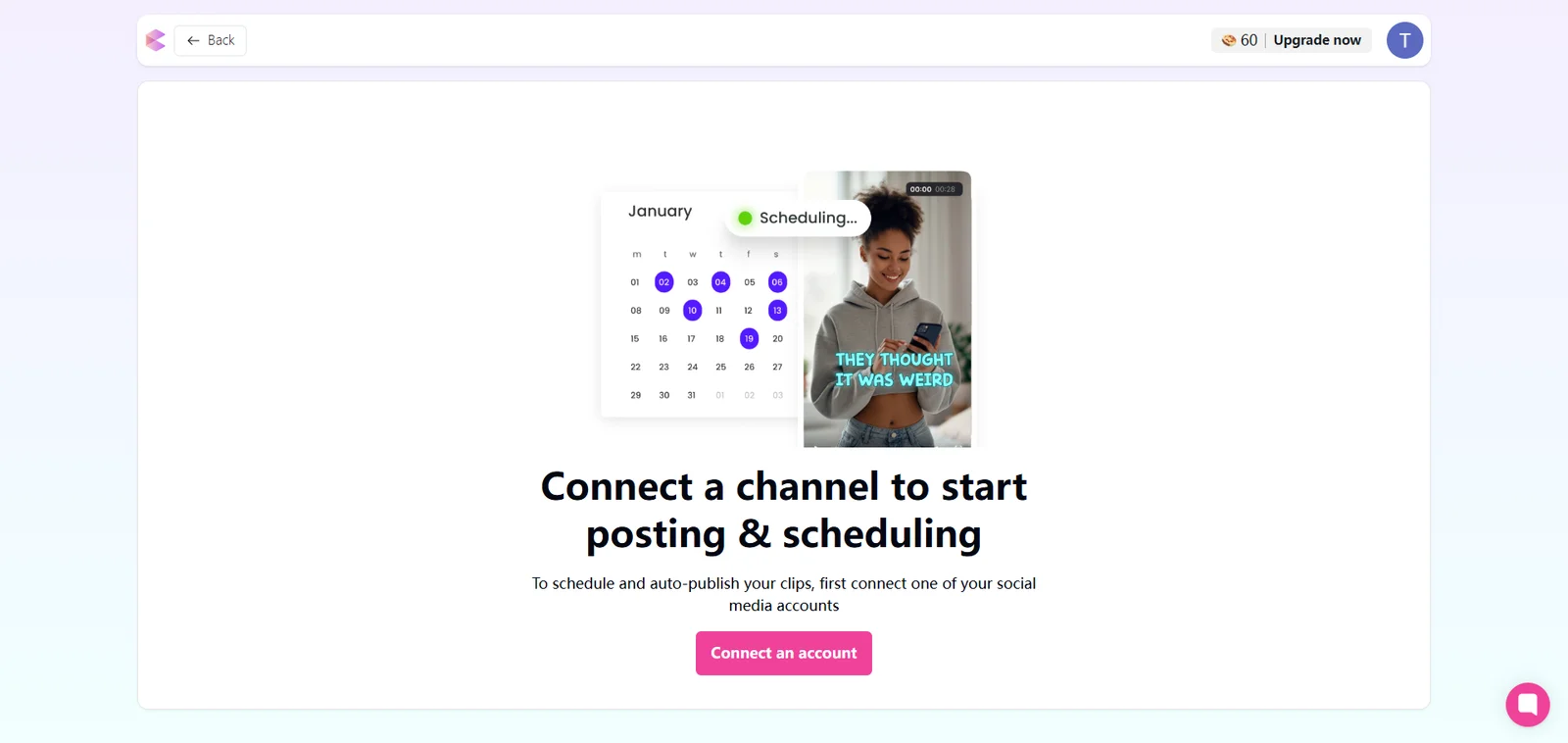
ClipGOAT can connect the creation process with social distribution. After reviewing a clip, users can schedule it for platforms such as YouTube, TikTok, and Instagram rather than moving through a separate publishing tool.
Scheduling becomes useful when one long video produces several strong candidates. Instead of publishing everything immediately, creators can organize the clips across multiple days or campaigns.
The surrounding copy may still need to change between platforms. A searchable YouTube Shorts title, a conversational TikTok caption, and an Instagram description may present the same clip differently. Built-in scheduling saves operational time, but platform-specific judgment still matters.
What to Expect from ClipGOAT’s AI-Generated Clips
ClipGOAT’s results depend on both the source material and the creator’s publishing goals. Videos with clear speech, distinct topics, direct answers, and self-contained stories give the system more opportunities to identify useful short-form moments.
Podcasts and interviews are often suitable because one recording can contain several opinions, lessons, personal stories, and memorable exchanges. Tutorials can also produce strong clips when each section explains one process or answers a specific question.
More complex recordings need closer review. A conversation may contain a compelling statement that only makes sense after hearing the previous question. A screen recording may require the interface to remain visible while the crop follows the presenter. A story that builds gradually can lose its impact if the beginning or ending is cut too tightly.
For every generated candidate, consider three questions:
-
Does the opening give viewers a clear reason to continue?
-
Can the central idea be understood without the original video?
-
Does the ending complete the thought or story?
The first question is especially important on short-form platforms. If a clip begins with greetings, filler words, or background information, the strongest sentence may need to appear earlier.
Context matters just as much. A dramatic quote can attract attention, but it will not make an effective Short if viewers cannot identify what the speaker is discussing. The best clip is usually the shortest complete version of an idea, not simply the shortest possible excerpt.
For a more repeatable review process, Video Cutter AI’s article How to Find Good Clips in a Long Video provides a practical checklist for evaluating context, clarity, opening strength, and standalone value before deciding which clips to publish.
ClipGOAT Pros and Considerations
ClipGOAT brings several stages of short-form production into one workflow. It is particularly useful for creators who want to find promising moments in long YouTube videos, prepare them for vertical platforms, and organize multiple clips for publication.
What ClipGOAT does well:
-
Finds potential highlights in long YouTube videos
-
Produces multiple short-form candidates from one source
-
Adds captions and vertical framing
-
Provides a Virality Score for prioritizing results
-
Generates hooks, titles, and hashtags
-
Creates videos from Reddit posts and written stories
-
Includes visual customization tools
-
Supports scheduling and social publishing
Things to check before publishing:
-
Whether the opening reaches the main point quickly
-
Whether the clip makes sense without earlier context
-
Whether the ending completes the idea
-
Whether captions correctly handle names and technical terms
-
Whether faces, products, and screen elements remain visible
-
Whether several candidates repeat the same subject
-
Whether the clip fits the channel’s audience and goals
These review steps apply to any AI-assisted clipping workflow. Automation can speed up discovery and preparation, while the creator provides the context, taste, and audience knowledge needed to make the final publishing decision.
ClipGOAT Pricing and Value in 2026
ClipGOAT currently lists two plans: Starter and Pro Creator. The plans are based primarily on processing minutes and export resolution.
| Plan | Processing allowance | Export resolution | Best suited for |
|---|---|---|---|
| Starter | 100 minutes, one time | 720p | Trying the workflow with representative content |
| Pro Creator | 600 minutes per month | 1080p | Creators who repurpose videos regularly |
Pro Creator also includes priority support and additional AI-powered features. ClipGOAT’s public pages did not display a fixed subscription price at the time of this review, so users should check the current upgrade screen for the latest cost.
Because ClipGOAT measures usage in processing minutes, value depends largely on the length of the source material. A creator repurposing hour-long podcast episodes will use the allowance differently from someone processing ten-minute tutorials.
Starter provides a practical way to evaluate the workflow before upgrading. The best test is a video similar to what you normally publish: a podcaster could use a full conversation, while an educator could choose a lesson containing several distinct explanations.
Pro Creator becomes more relevant when clipping is a recurring part of content production, higher-resolution exports matter, and built-in captions, reframing, creative tools, and scheduling replace separate steps in the workflow.
Plans, limits, and pricing can change, so readers should confirm the latest information inside ClipGOAT before making a purchase decision.
ClipGOAT vs. Video Cutter AI: Which Workflow Fits You?
ClipGOAT and Video Cutter AI both help creators turn long-form content into short videos, but they support different production priorities. ClipGOAT connects clip discovery with content generation and social scheduling, while Video Cutter AI focuses on flexible source input and configurable clip creation.
| Workflow need | ClipGOAT | Video Cutter AI |
|---|---|---|
| Source input | Primarily built around published YouTube content | Supports YouTube links and local video files |
| Highlight discovery | Generates multiple AI-selected candidates | Identifies potential moments based on selected settings |
| Clip controls | Offers duration, language, captions, and visual customization | Adds control over processing range, clip length, aspect ratio, clip focus, and caption style |
| Additional creation tools | Includes Reddit, story, UGC, and text-message video formats | Focuses on repurposing existing long-form video |
| Publishing workflow | Includes social scheduling and publishing | Prepares configurable clips for export and publication |
| Best suited for | Creators who want an all-in-one content workflow | Creators who want flexible input and greater control over the output |
ClipGOAT is a strong fit when a creator wants to begin with a YouTube video, discover several potential highlights, add creative elements, and organize the finished clips for social distribution. Its text-based creation tools also add value for channels that produce faceless stories alongside repurposed video content.
Video Cutter AI is well suited to creators who work with both published and unpublished footage. Support for local uploads and YouTube links makes it easier to use original podcast recordings, interviews, webinars, and tutorials. Configurable settings also let creators focus the analysis on a selected part of the source and shape the clip length, format, and caption style around a specific publishing plan. Video Cutter AI is free to use online with no sign-up required, so creators can test the workflow with their own footage before adding it to their regular production process.
The choice comes down to the workflow surrounding the video. ClipGOAT brings creation and distribution into one platform, while Video Cutter AI provides a focused way to turn existing long-form footage into adaptable short clips. In either case, the creator makes the final decision about context, accuracy, and which moments are ready to publish.
Final Verdict: Is ClipGOAT Worth It in 2026?
Yes, ClipGOAT is worth considering for creators who regularly repurpose YouTube videos into Shorts, TikToks, and Reels. Its main value lies in bringing AI clipping, content enhancement, faceless video creation, and social scheduling into one workflow.
It is especially well suited to creators who want the AI to discover several potential highlights from a published YouTube video and help move those clips toward distribution. The additional Reddit, story, UGC, and text-message formats also make ClipGOAT useful for channels that combine repurposed footage with generated content.
Video Cutter AI offers a different advantage for creators whose source material includes both YouTube videos and local recordings. Its configurable clip length, processing range, aspect ratios, and caption styles make it easier to adapt podcasts, interviews, tutorials, and webinars to a specific content plan. Because it is available online without registration, creators can try the workflow with their own footage before making it part of their production process.
Choose ClipGOAT when an all-in-one creation and publishing workflow matters most. Choose Video Cutter AI when flexible input and greater control over the generated clips are the priority. In either case, the most useful result is not the largest number of clips, but a smaller set of complete, accurate, and audience-ready videos.
Frequently Asked Questions About ClipGOAT
Is ClipGOAT free in 2026?
Yes. ClipGOAT offers a free Starter plan with a one-time allowance of 100 video-processing minutes and 720p exports. Pro Creator provides 600 processing minutes per month, 1080p exports, priority support, and additional capacity for regular production. Creators who want to start online without creating an account can also try Video Cutter AI with their own long-form content.
Can ClipGOAT turn YouTube videos into Shorts?
Yes. ClipGOAT can analyze a YouTube video, identify potential highlights, and turn selected moments into vertical clips for YouTube Shorts, TikTok, and Instagram Reels. Video Cutter AI supports a similar long-to-short workflow while allowing creators to begin with either a YouTube link or an uploaded video file.
Can I upload a video file to ClipGOAT?
ClipGOAT’s main clipping workflow is designed around YouTube links. Its current public pages describe local upload options differently, so creators who regularly use files from their devices should confirm the available input methods inside the platform. Video Cutter AI supports both local video uploads and YouTube links, making it suitable for published content and original recordings.
Does ClipGOAT add captions automatically?
Yes. ClipGOAT can generate captions during the clipping process. Video Cutter AI also creates captions automatically and lets creators choose from different caption styles before generating their clips. Whichever platform you use, review names, numbers, branded terms, and specialist vocabulary before publishing.
Can ClipGOAT create videos without original footage?
Yes. ClipGOAT can create videos from Reddit posts and written stories. Its wider toolkit also includes UGC hooks, simulated text-message videos, artificial voiceovers, and AI-generated media, making it particularly relevant to faceless content creation.
Can ClipGOAT publish directly to social media?
Yes. ClipGOAT includes tools for connecting supported social accounts and scheduling finished clips for platforms such as YouTube, TikTok, and Instagram. Video Cutter AI takes a more focused approach by preparing configurable clips for export, allowing creators to review the final video and manage publication through their preferred workflow.
What is the best ClipGOAT alternative?
The best ClipGOAT alternative depends on how the creator works. Video Cutter AI is a strong option for creators who use both local files and YouTube links and want control over processing range, clip length, clip focus, aspect ratio, and caption style. It is available online without registration, making it easy to evaluate with real source material.